


Intro
Not that long ago, getting a convincing recorded guitar tone meant having a good amplifier, a microphone, a room where you could make some noise, and preferably neighbors who weren't going to call the police. Your alternatives were expensive commercial amp modeling systems that didn't always live up to their promises.
Things have changed. Dramatically.
The best free guitar amp sim plugins available in 2026 aren't merely good for free. They're genuinely impressive tools capable of producing realistic, responsive, mix-ready guitar tones. Whether you're tracking punishing metal rhythms, chasing vintage British crunch, or recording pristine clean passages, there's a free solution worth your attention.
And the technology is evolving at an astonishing pace. Neural Amp Modeler (NAM) has already changed what's possible with free amp capture technology, and the arrival of its Architecture 2 (A2) and the expanded TONE3000 ecosystem represents another major step forward.
Now, I'm not going to pretend that playing through headphones is exactly the same experience as standing in front of a cranked tube amp and a 4x12 cabinet. There's something special about that physical interaction between the guitar, speakers, and player. I still love it, and I don't see that changing.
But a great recorded guitar tone doesn't require an expensive amplifier, and modern amp sims have reached the point where the results can speak for themselves.
In this guide, we're focusing on free amp sims that are genuinely useful for recording, practicing, and writing music. Some are sophisticated neural capture platforms. Others are traditional modeled amplifiers or straightforward plugins designed to do one job exceptionally well.
We'll cover what makes each one worth installing, where it excels, and what limitations you should know about before building your signal chain around it.
Whether you're recording DI guitars for a full production, reamping existing tracks, or simply trying to practice without waking the entire neighborhood, these plugins prove you don't have to spend a fortune to sound fantastic.
Let's get into it.
Affiliate Disclosure:
Some of the links in this article are affiliate links. If you purchase through these links, Sonic Odyssey may earn a small commission at no additional cost to you. This helps support the site and allows us to continue creating in-depth guides for music producers.
How We Chose These Free Amp Sims
There are plenty of free guitar amp sims available, but downloading every plugin you can find isn't necessarily going to improve your recordings. Some are excellent, some haven't aged particularly well, and others are little more than advertisements for their commercial counterparts.
For this guide, we're focusing on plugins that deliver meaningful value without requiring you to spend money.
Here's what matters most:
- Sound quality and playing response: An amp sim should respond convincingly to pick attack, dynamics, guitar volume changes, and different playing styles. A great preset isn't particularly useful if everything feels lifeless under your fingers.
- Performance in an actual mix: A guitar tone that sounds enormous in isolation can quickly turn into a muddy mess alongside bass, drums, and layered guitars. We're interested in tools that produce usable recording tones, not just impressive demos.
- Practical workflow: Good sound matters, but so does getting there. Capture browsers, cabinet simulation, routing flexibility, and straightforward controls can make a substantial difference in how useful a plugin becomes.
- CPU efficiency and compatibility: Neural modeling and oversampling can demand significant processing power. We consider how practical these tools are for ordinary home studio systems, although performance and compatibility will vary by computer and plugin version.
- A genuinely usable free offering: Requiring a free account or offering optional paid upgrades isn't automatically a dealbreaker. Mandatory purchases, time-limited trials, or restrictions that prevent meaningful use are another matter. When a free edition has significant limitations, we'll explain them.
- Tonal range or a clearly defined strength: Not every amp sim needs to do everything. A plugin that delivers exceptional high-gain tones can earn its place just as easily as an all-in-one system covering clean, crunch, and lead sounds.
- Developer support and community: Updates, documentation, available captures, and an active user community matter, particularly when you're relying on software for ongoing recording projects.
One distinction worth emphasizing: amp captures and cabinet impulse responses aren't the same thing. Some tools model only the amplifier stage, while others reproduce a complete signal chain. We'll explain when additional cabinet simulation is necessary rather than treating every plugin as though it works identically.
This isn't intended to be an exhaustive catalog of every free amp simulator ever released. It's a curated selection of tools that offer something useful to guitarists making music today.
And while Neural Amp Modeler leads the list for good reason, different workflows and musical styles may make another option a better choice for your particular setup.
Make the Rest of Your Setup Count
A great amp sim is only part of the equation. Clean input signals, low latency, and accurate monitoring make a huge difference in how your guitar sounds and feels.
 Zachary Darrel Randall
Get your guitar into your DAW cleanly, keep latency under control, and stop fighting your recording setup.
 Zachary Darrel Randall
A great guitar tone starts with a great DI signal. Here's when a dedicated direct box actually matters—and which ones are worth buying.
 Zachary Darrel Randall
Hear what your amp sims are really doing, from tight low-end response to the harsh frequencies that can ruin an otherwise great guitar tone.
Gear You Need to Get the Most from Free Amp Sims
You can get great tones out of free amp sims, but the results depend heavily on the gear you run into them. A clean signal path and proper monitoring make a bigger difference than most people think. Here is what you actually need to get the most out of these plugins.
Audio interface: Look for low-latency performance and stable drivers. Even the best amp sim will feel sluggish if your interface cannot run tight buffer sizes.
A proper DI box: Technically optional, but highly recommended. A quality DI ensures a clean, consistent signal into your interface. Many interface instrument inputs are usable, but they vary wildly in impedance, noise floor, and headroom. A dedicated DI gives you better transient response, less noise, and a more accurate representation of your guitar before it ever reaches the amp sim.
Studio monitors or headphones: You need accurate monitoring to judge tone properly. Cheap speakers or consumer headphones will make everything sound harsh or muddy. If you are using headphones, aim for neutral, closed-back models that can handle the full frequency range of distorted guitars. Headphones also offer more bang for the buck. For example, you can get Beyerdynamic DT 770s for about $200, which would not even buy you an empty Focal box.
Optional tools:
- MIDI foot controllers for live-style patch switching
- Expression pedals for wah, volume, or parameter control
- Load boxes if you want to blend real amps with amp sims
Free plugins can take you a long way, but at some point, you’ll hit the ceiling.
When that happens, don’t be the guy paying $199 for something that was $29 last week. We track plugin deals daily so you can upgrade your setup without getting ripped off.
Start free. Upgrade smart.
👉 Featured Plugin Deals
👉 Newest Plugin Deals
👉 Plugin Deals Ending Soon
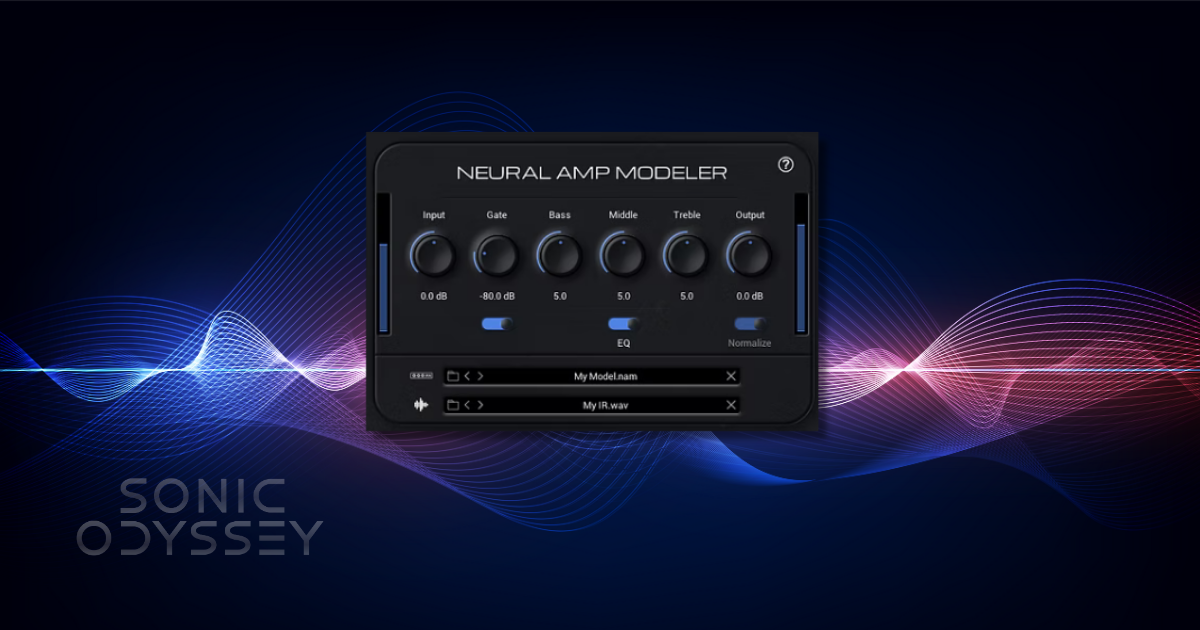
Neural Amp Modeler (NAM)
If there's one free amp sim that has fundamentally changed the guitar recording landscape, it's Neural Amp Modeler (NAM). And in 2026, it's taken another enormous leap forward.
Created by Steve Atkinson, NAM is a free, open-source neural modeling technology that captures the sound and dynamic behavior of real amplifiers, pedals, and entire signal chains. Rather than attempting to simulate every component of an amplifier individually, NAM learns how a particular piece of equipment responds to an audio signal.
The result can be astonishingly convincing. Pick attack, gain structure, dynamics, saturation, and the way an amplifier responds as notes decay can be reproduced with remarkable accuracy.
For guitarists who want the experience of playing through high-end amplifiers without spending thousands of dollars, NAM has become one of the most compelling technologies available.
And thanks to some major developments in 2026, it's no longer exclusively a computer-based solution.
NAM Architecture 2: A Major Leap Forward
In June 2026, NAM introduced Architecture 2 (A2), developed in partnership with TONE3000.
This wasn't a minor update to the user interface or a handful of additional presets. A2 represents a major redesign of the neural modeling architecture itself, with two important improvements: modeling accuracy and processing efficiency.
The new architecture comes in two primary configurations:
- A2-Full: Designed for maximum modeling accuracy, particularly in studio and production environments.
- A2-Lite: A more efficient implementation suitable for lower-powered computers, embedded processors, and hardware guitar modelers.
According to the developers, A2-Full uses approximately 30–40% less CPU than the previous standard NAM architecture while improving accuracy. A2-Lite makes it possible to run neural amp captures on hardware that would have struggled with earlier models.
TONE3000 also conducted comparative measurements and blind listening tests involving more than 1,000 participants. Its published results favored A2 over several competing capture technologies, including Neural DSP, IK Multimedia TONEX, and Line 6 Proxy.
Those are impressive results, although it's worth remembering that even the best modeling architecture is only as good as the equipment, capture process, and signal chain used to create an individual model.
The practical takeaway is simple: NAM can now deliver more accurate captures while demanding less processing power. That's a rare and very welcome combination.
TONE3000: The Missing Piece of the NAM Ecosystem
One of NAM's greatest strengths has always been its community. Thousands of musicians, engineers, and gear enthusiasts have contributed captures of everything from vintage Fender combos to boutique high-gain amplifiers and obscure distortion pedals.
But finding, organizing, and auditioning those captures wasn't always particularly convenient.
That's where TONE3000 comes in.
Formerly known as ToneHunt, TONE3000 has evolved into an enormous community-driven library containing hundreds of thousands of captures and impulse responses.
The library includes amplifier heads, complete amp-and-cabinet chains, pedals, outboard gear, and acoustic spaces. You can explore different manufacturers, capture types, creators, and styles without having to purchase commercial model packs.
More importantly, in September 2026, TONE3000 released its own free NAM A2 plugin and standalone application.
Instead of downloading individual captures, extracting archives, organizing folders, and manually loading models into separate plugins, you can browse the TONE3000 library directly inside the software and load compatible tones into your signal chain.
The October 2026 update made the experience even more useful, adding a faster native interface, built-in library search, improved noise gating, pitch shifting, dual-mono processing, DAW preset switching, and better local-file support.
Pitch shifting is a particularly interesting addition for players experimenting with lower tunings. You can transpose your guitar before it reaches the amp model without physically retuning your instrument, although the quality of extreme pitch shifts will always depend on the source material.
The plugin also supports cabinet impulse responses, multiple model blocks, EQ, and stereo routing. That makes it much easier to build a usable guitar signal chain without assembling a collection of separate plugins.
There's one compatibility detail worth knowing: the TONE3000 plugin currently loads NAM A2 models, not legacy A1 captures. If you have an existing collection of older NAM files, check that compatible A2 versions are available or continue using a player that supports those older formats.
TONE3000 is free, but accessing its online library through the plugin requires a free account. Locally imported compatible captures can be used without signing in, including offline.
Download the free TONE3000 plugin
Getting Great NAM Tones in a Real Recording Session
Despite all the advances in the technology, a few fundamentals still matter.
First, understand what you're loading. An Amp Head capture generally needs a separate cabinet impulse response to produce a natural, finished guitar tone. An Amp + Cab capture already incorporates the captured cabinet signal.
If you're new to NAM, I'd start with complete amp-and-cab captures before experimenting with individual components.
Second, pay attention to input level and calibration. Different captures may have been made using different signal levels. Sending too much or too little signal into a model can change the way it responds, just as it would with a real amplifier.
Third, don't assume a capture represents every possible setting on the original amp. Most captures reproduce a particular combination of gain, EQ, and other settings. If you want a different gain structure, choosing another capture from the same amplifier may give you more authentic results than applying extreme EQ afterward.
And finally, audition tones in the context of an actual mix. A guitar sound that's spectacular in isolation isn't necessarily the one that will work best with bass, drums, and multiple layers of rhythm guitars.
NAM is especially powerful for DI recording and reamping because you can experiment with different amplifier captures after recording the performance. That flexibility is tremendously useful when building dense rock and metal arrangements.
NAM Isn't Just for Your Computer Anymore
Here's where things get especially interesting.
For years, one of the biggest compromises of software-based amp modeling was that getting your favorite plugin tones onto a pedalboard usually required a laptop or a specialized hardware solution.
That's changing rapidly.
Several manufacturers now offer products that run compatible NAM captures directly, including:
- Blackstar BEAM Solo: A compact headphone amplifier that supports NAM A2 through a firmware update. An excellent option for practicing with neural amp captures without carrying around an audio interface and computer. Check Blackstar BEAM Solo on Amazon.
- Blackstar BEAM Mini: A portable desktop amplifier with native NAM support and TONE3000 integration. This brings community-created amp sounds into a self-contained practice amplifier. Check Blackstar BEAM Mini on Amazon.
- HeadRush Flex Prime: A guitar multi-effects processor that supports NAM captures natively, with direct access to TONE3000 through its touchscreen and Wi-Fi connectivity. The larger HeadRush Core and Prime offer similar NAM support. Check HeadRush Flex Prime on Amazon.
- Darkglass Anagram: A premium bass-focused multi-effects processor supporting A2-Lite and A2-Full, with the ability to run multiple NAM instances. Check Darkglass Anagram on Amazon.
This is an important distinction from devices that convert NAM captures into other formats. Native NAM support means compatible captures run using the NAM architecture itself rather than being translated into a proprietary modeling format.
Not every device supports every NAM generation or capture size, so verify firmware and model compatibility before purchasing.
For musicians who love recording with NAM but want to take those tones into rehearsal rooms, practice setups, and live performances, these devices represent an exciting expansion of what's possible.
Pros
- Outstanding capture accuracy, dynamic response, and realistic amp behavior
- New A2 architecture improves efficiency and accuracy
- Enormous free community capture library through TONE3000
- Free plugin and standalone options with much-improved workflows
- Excellent for DI tracking, reamping, rock, and high-gain guitar production
- Growing native hardware support for practice and live performance
- Open-source technology rather than a proprietary capture ecosystem
Cons
- Capture quality varies depending on the original equipment and capture process
- Individual captures don't necessarily provide the full adjustable range of the original amplifier
- Amp-only captures still need appropriate cabinet simulation
- The new TONE3000 plugin does not load legacy A1 NAM files
- TONE3000's online library requires a free account
- Extensive capture libraries can encourage endless tone hunting instead of actually recording music
Final Verdict
Neural Amp Modeler was already one of the most impressive free guitar recording tools available. Architecture 2 and the evolution of TONE3000 have made it substantially more capable, accessible, and practical.
The fact that you can now move from a free neural capture in your DAW to a compatible hardware rig without abandoning the technology is especially significant.
For realistic amp tones, flexible reamping, and an extraordinary range of free sounds, NAM remains our top recommendation.
And if you're interested in comparing it with commercial alternatives, our guitar amp sim deals page tracks current Plugin Boutique discounts on amp modeling software, cabinet tools, and related guitar recording plugins.
Free plugins can take you a long way, but at some point, you’ll hit the ceiling.
When that happens, don’t be the guy paying $199 for something that was $29 last week. We track plugin deals daily so you can upgrade your setup without getting ripped off.
Start free. Upgrade smart.
👉 Featured Plugin Deals
👉 Newest Plugin Deals
👉 Plugin Deals Ending Soon
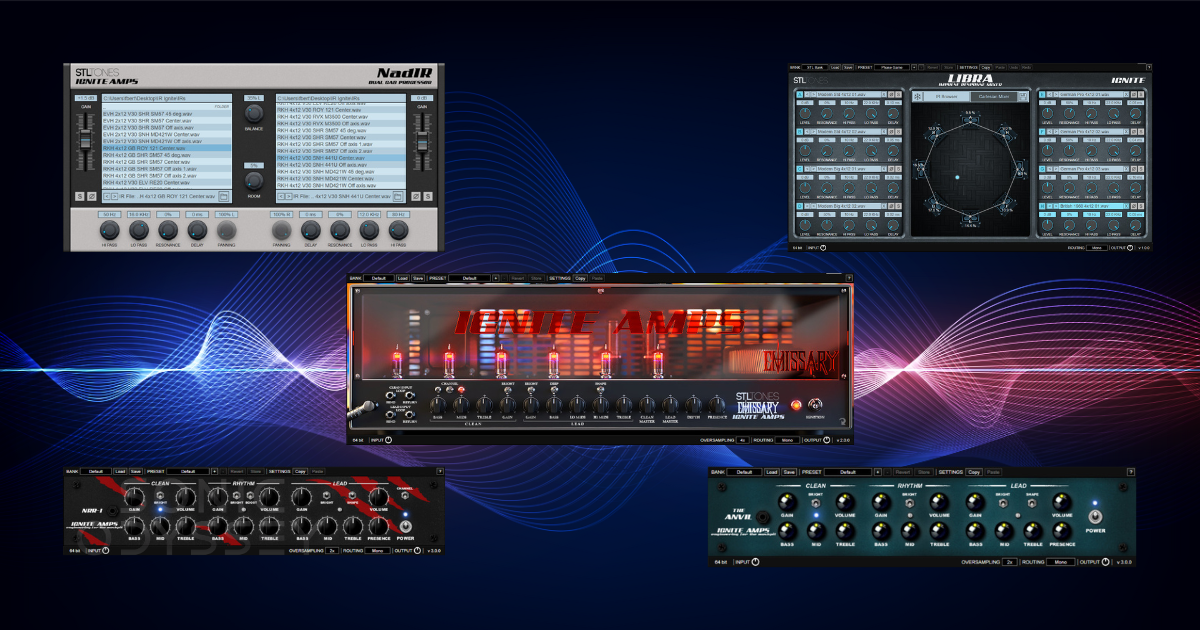
Ignite Amps (Emissary / NRR-1 / Anvil etc.)
Before Neural Amp Modeler exploded onto the scene, Ignite Amps was already quietly setting the standard for what free guitar amp sims could sound like. Even now, their plugins remain some of the most respected free options for heavy music, and for good reason.
Ignite Amps focuses on no-nonsense, amp-first design. These are not flashy all-in-one suites with massive preset browsers. They are purpose-built amp models that prioritize tight response, clarity under gain, and realistic behavior when pushed.
The standout is Emissary 2.0, a modern high-gain amp that has become something of a legend in the free plugin world. It delivers tight low end, articulate mids, and enough aggression for modern metal, prog, and hard rock without turning into fizzy chaos. Palm mutes stay defined, fast riffs stay intelligible, and lead tones cut without excessive EQ.
NRR-1 and Anvil cover slightly different ground, offering additional flavors of high-gain and crunch that pair well with different guitars and tunings. Together, they give you a flexible free amp lineup that can handle everything from classic metal to modern drop-tuned brutality.
One of Ignite’s biggest advantages is its ecosystem. Plugins like NadIR and Libra provide excellent free impulse response loading, making it easy to build a complete, professional signal chain without spending a dime. A common setup is a simple overdrive or boost in front, followed by the amp, then an IR loader. It is a straightforward workflow that works extremely well.
Ignite Amps plugins are especially popular with metal and prog players because they sit well in a mix with minimal effort. You do not need extreme EQ moves or complex routing to get usable results. The tones are focused, controlled, and predictable, which is exactly what you want when layering multiple guitar tracks.
Pros:
- Tight, articulate high-gain tones
- Excellent mix translation
- Free matching tools like NadIR and Libra
- Stable and efficient
Cons:
- Interfaces are utilitarian, not flashy
- Focused mostly on heavier styles
- No built-in effects or preset ecosystems
If you play metal, prog, or modern rock and want a reliable free amp sim that just works, Ignite Amps remains one of the safest and strongest choices available.
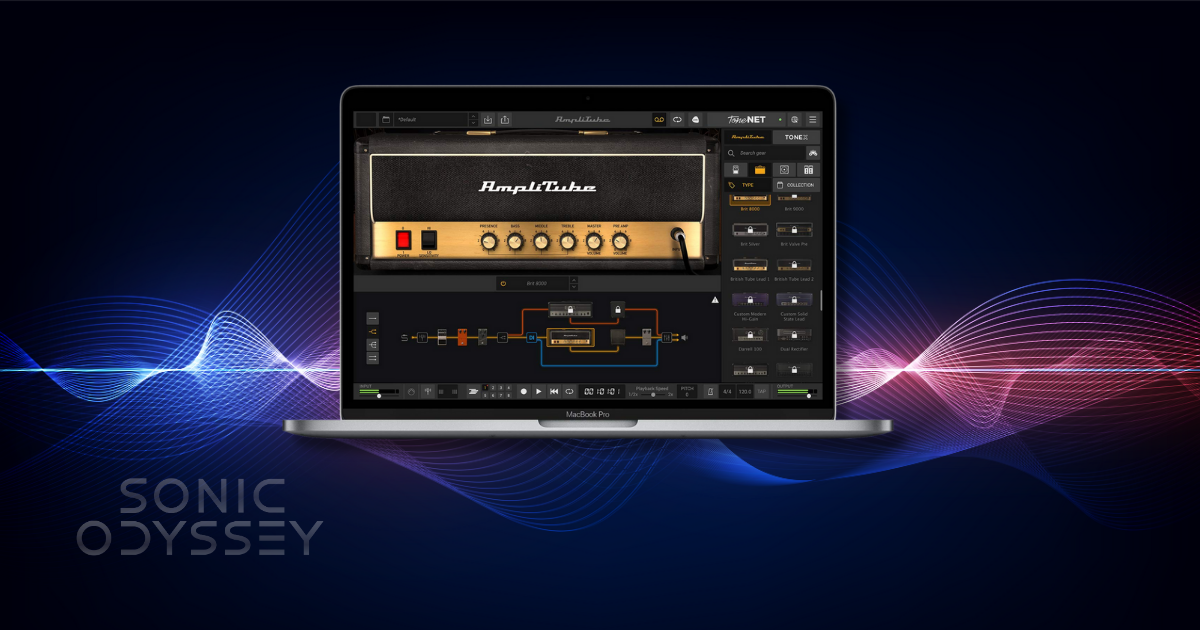
Amplitube 5 CS
Amplitube 5 CS is the free entry point into one of the longest-running commercial amp sim platforms on the market. Unlike standalone amp plugins, Amplitube is a full guitar and bass rig environment, and the Custom Shop version gives you a limited but usable slice of that ecosystem at no cost.
Out of the box, Amplitube 5 CS includes a small selection of amps, cabinets, microphones, and effects. You also get access to a large preset library, which makes it especially appealing for beginners who want to plug in, scroll, and play without thinking too hard about signal chains.
Where Amplitube shines is accessibility. The interface is intuitive, the workflow is familiar, and it works well across a wide range of styles, from clean and edge-of-breakup tones to classic rock and more polished modern sounds. For learning how amps, cabs, and mic placement interact, it is a solid educational tool.
That said, there are trade-offs. The free content is intentionally limited, and you are constantly reminded that there is a paid ecosystem sitting behind the curtain. Compared to NAM or Ignite, the amp feel is a bit more polished and less raw, which some players will appreciate and others will find less inspiring.
Amplitube 5 CS is best viewed as a general-purpose tool. It is excellent for practice, songwriting, demo work, and getting comfortable with amp sim workflows. It may not be the first choice for ultra-realistic reamping or modern metal tones, but it covers a lot of ground reliably.
Pros:
- Beginner-friendly interface and workflow
- Large preset library
- Broad tonal coverage
- Stable and well-supported
Cons:
- Limited free content
- Upsell-heavy environment
- Less raw amp feel compared to NAM or Ignite
If you are just getting started with amp sims or want a familiar, all-in-one environment, Amplitube 5 CS remains a useful free option.
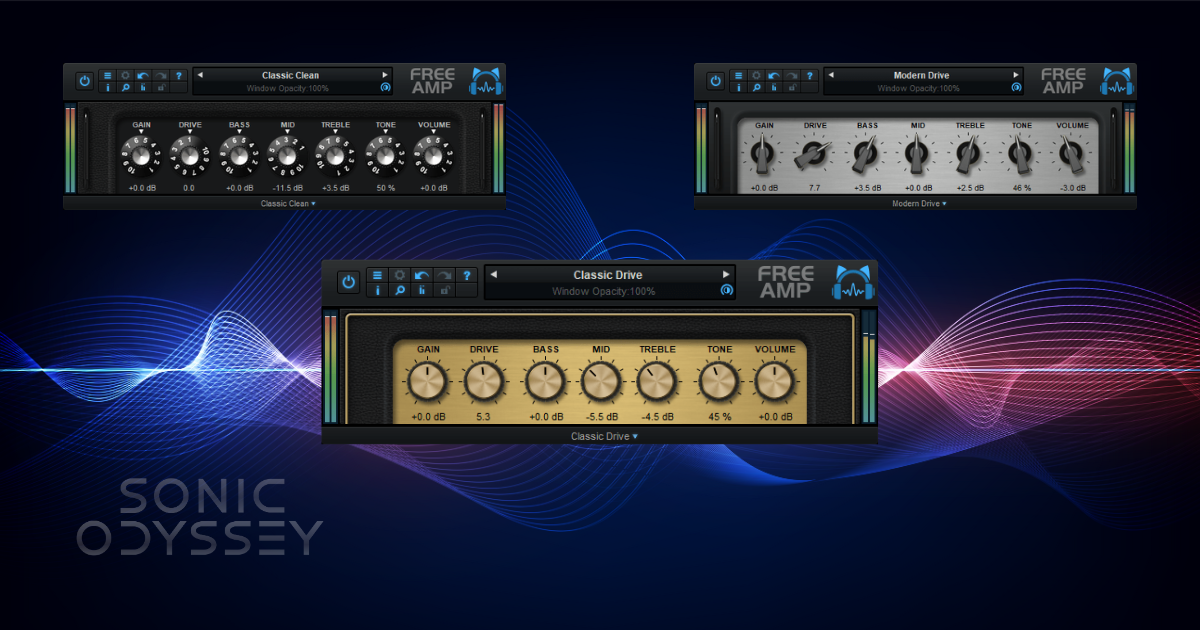
Blue Cat Free Amp
Blue Cat Free Amp is one of those plugins that does not get a lot of hype anymore, but it has earned its place through sheer reliability. It is a simple, lightweight amp sim with three core voicings covering clean, crunch, and high-gain territory, and it does exactly what it claims without drama.
On a personal note, I have been using Blue Cat plugins since the early 2000s, back when I was running a very unofficial copy of SONAR on a Windows machine that had absolutely no business recording guitars. Even then, Blue Cat’s stuff stood out as well-coded, stable, and thoughtfully designed. That reputation has held up for decades, which is not something you can say about a lot of audio software from that era.¹
Free Amp is not trying to compete with Neural Amp Modeler or Ignite in terms of realism or depth. Instead, it focuses on being fast, predictable, and easy to dial in. CPU usage is low, latency is minimal, and you can get a usable tone in seconds without digging through menus or presets.
Tonally, it works best for clean and edge-of-breakup sounds, classic rock, and basic crunch tones. The high-gain mode is usable, but it does not have the complexity or tightness of more modern amp sims. Where it really shines is as a utility amp that you can always fall back on when you just need something that works.
Blue Cat Free Amp is especially useful for quick demos, songwriting, and situations where stability matters more than chasing the last five percent of realism. It is also a great option for older or lower-powered systems that struggle with heavier plugins.
Pros:
- Very low CPU usage
- Extremely stable
- Simple and fast to dial in
- Clean, usable core tones
Cons:
- Limited tonal depth compared to newer amp sims
- High-gain tones are serviceable, not exceptional
- No built-in effects or advanced routing
It may not be flashy, but Blue Cat Free Amp earns its spot as an always-installed utility amp that just gets the job done.
¹ At the time, this involved tracking guitars by running an original Behringer V-Amp straight into the line-in jack of a Sound Blaster card using a barely functioning AUX cable. It was not ideal, but it worked.
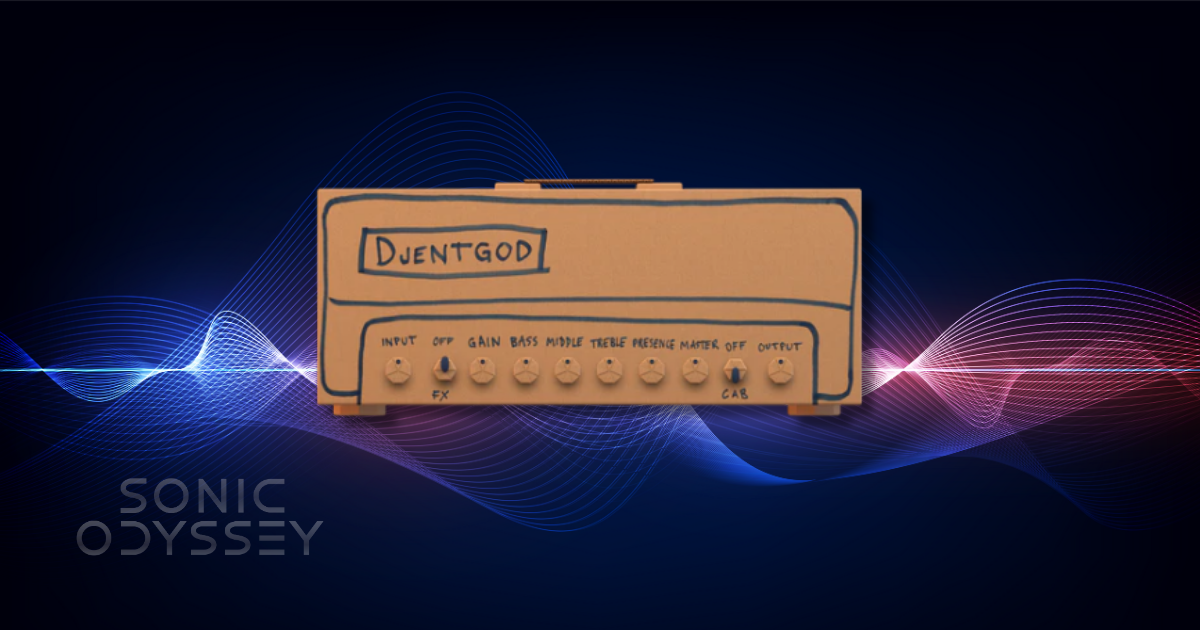
Amped Stevie T Free (ML Sound Lab)
Amped Stevie T Free is the noisiest entry on this list, both in tone and personality. Built by ML Sound Lab, this plugin is based on the same core technology used in their commercial Amped series, but wrapped in an intentionally over-the-top presentation inspired by Stevie T’s internet persona.
Under the hood, though, this is a legitimately solid modern amp sim. The tone profile leans firmly toward tight, aggressive high-gain sounds, with a fast pick response and a focused low end that works well for modern metal, djent, and heavy rhythm playing. It does exactly what it is supposed to do when you hit palm-muted riffs hard.
The cab section is one of the highlights. ML Sound Lab’s cabinet modeling is consistently good, and even in the free version you get usable options that do not require immediate replacement with third-party IRs. That makes Amped Stevie T Free easier to drop into a session than some more barebones free amps.
Where this plugin may divide players is presentation. The branding is unapologetically meme-adjacent, and that will either be entertaining or annoying depending on your tolerance for that kind of thing. Fortunately, once you are playing, the interface stays out of the way and the tone speaks for itself.
Amped Stevie T Free works best when treated as a specialized tool rather than a do-everything solution. If you want clean tones or vintage crunch, look elsewhere. If you want modern, percussive high-gain rhythm sounds with minimal setup, it delivers.
Pros:
- Tight, modern high-gain tones
- Fast, responsive feel
- Strong built-in cab section
- Easy to dial in
Cons:
- Narrow tonal focus
- Branding may not appeal to everyone
- Limited flexibility outside modern metal styles
If your playing lives in drop tunings and tight rhythm work, Amped Stevie T Free is a fun and surprisingly capable free option.
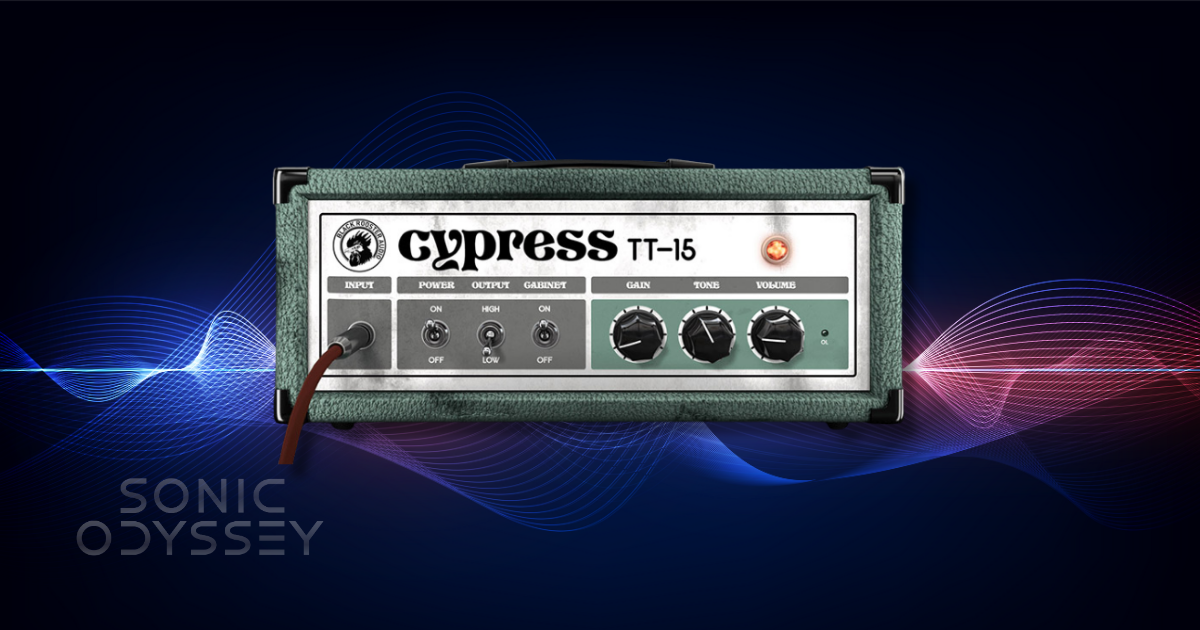
Cypress TT-15
Cypress TT-15 is a free amp sim that takes clear inspiration from compact, lunchbox-style British amps, particularly the Orange-flavored side of the tonal spectrum. It is mid-forward, crunchy, and unapologetically raw in a way that immediately feels different from the tighter, more modern amps earlier in this list.
Where the TT-15 shines is in low- to mid-gain territory. Crunch tones have weight and attitude, with a slightly fuzzy edge that works well for classic rock, stoner rock, doom, and gritty alternative styles. It reacts nicely to picking dynamics and cleans up better than you might expect when rolling back the guitar’s volume.
This is not a high-gain metal amp, and it does not pretend to be one. If you push it too far, things get loose fast. That is not a flaw so much as a design choice. Paired with the right cabinet IR, the TT-15 delivers character and personality rather than surgical precision.
One of the best ways to use Cypress TT-15 is as a pedal platform. Throw a fuzz or overdrive in front, keep the gain moderate, and let the amp do the heavy lifting in the mids. Darker IRs with strong low-mid content tend to complement it well, especially for thicker riff-based parts.
Cypress TT-15 earns its place here by covering a tonal lane that many free amp sims ignore. It is not trying to replace NAM or Ignite. It is there for when you want something dirty, organic, and a little unruly.
Pros:
- Mid-forward, characterful crunch tones
- Responds well to picking dynamics
- Great for stoner, doom, and classic rock styles
- Simple and easy to dial in
Cons:
- Limited tonal range
- Not suitable for modern high-gain metal
- Heavily dependent on cab choice
If you are looking for raw, attitude-heavy tones rather than polished perfection, Cypress TT-15 is an excellent free option.
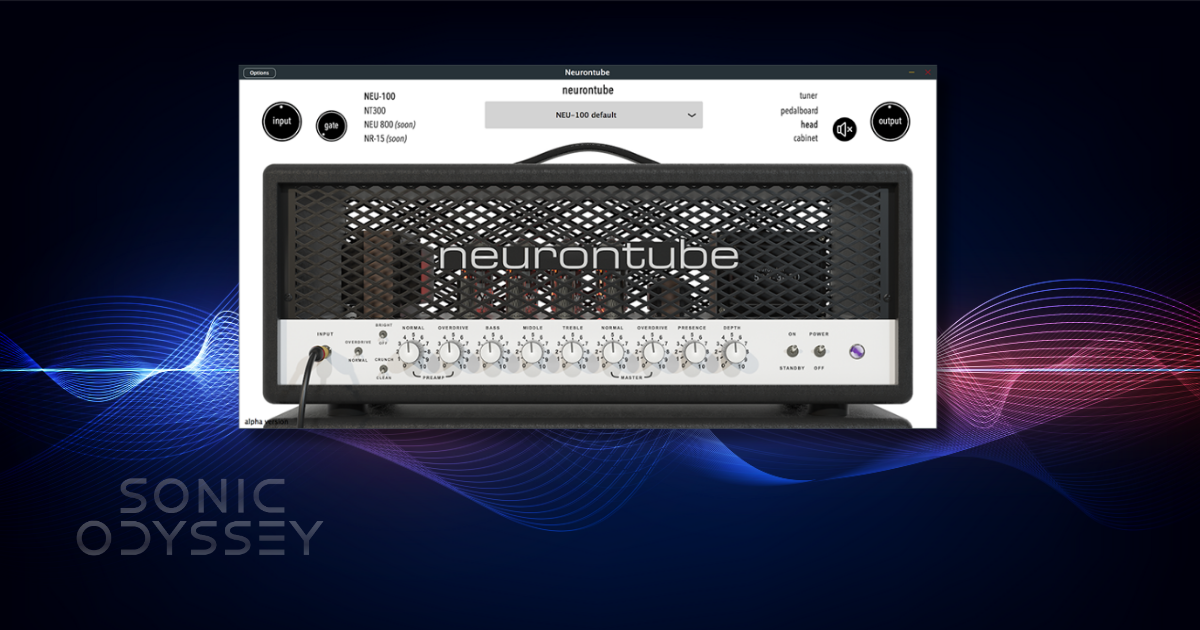
neurontube: debut
neurontube: debut is one of the most interesting free amp sims to emerge in the last couple of years because it sits at the intersection of modern neural modeling and traditional amp plugin workflows. It does not rely on massive preset libraries or flashy branding. Instead, it focuses on feel, response, and musical behavior.
The debut amp is voiced to cover a wide range from edge-of-breakup crunch through modern high-gain tones. It responds naturally to pick attack and guitar volume changes, and it avoids the overly compressed, plasticky feel that still plagues many digital amps. Notes bloom in a convincing way, and chords retain definition even under heavier gain settings.
What sets neurontube apart is how balanced it feels. Where NAM excels at realism through captures and Ignite excels at tight, aggressive focus, neurontube: debut lands somewhere in between. It feels like a purpose-built digital amp that understands what players actually want under their fingers, rather than a strict attempt to clone a specific piece of hardware.
In practical use, neurontube works well for both rhythm and lead parts, especially in modern rock, prog, and alternative contexts. It takes pedals well, pairs nicely with third-party IRs, and does not require excessive EQ to sit in a mix. That makes it a strong option for players who want a single free amp that can cover a lot of ground without much setup.
This is also a good example of where free amp sims are heading. Smaller developers are using modern modeling techniques to create focused, high-quality tools without bloated interfaces or aggressive monetization. neurontube: debut feels like a preview of that future.
Pros:
- Responsive, natural playing feel
- Broad usable gain range
- Mix-friendly tones with minimal effort
- Modern design without unnecessary complexity
Cons:
- Limited tonal variety compared to capture-based systems
- Requires external IRs for best results
- Less name recognition than larger brands
If you want a modern, forward-looking free amp sim that feels good to play and easy to mix, neurontube: debut is one of the strongest sleeper picks available.
Honorable Mentions & Extra Freebies
Not every solid free amp sim made the main list, either because it is more limited in scope, available only during certain promotions, or better suited as a supporting tool rather than a primary amp. These are still worth knowing about.
Other Ignite Amps tools: Beyond their main amp sims, Ignite offers excellent free utilities like NadIR and Libra for impulse response loading, along with bass amps and preamps that are useful well beyond guitar-only workflows.
Audio Assault freebies: Audio Assault regularly releases limited free or “lite” versions of their amp sims. Availability changes, but when they are free, they are often very usable modern rock and metal tools worth grabbing.
Softube Amp Room (free core rig): Softube has offered a small free version of Amp Room that includes a single amp and cab. It is extremely high quality, but limited. If it is still available when you are reading this, it is worth checking out.
As always with free plugins, availability can change. If something disappears or becomes paid, that does not mean it was misleading at the time. It just means the landscape keeps moving.
Tips for Better Amp Sim Tones (Even with Free Plugins)
A great amp sim can reproduce an astonishing amount of the character of a real amplifier, but it can't compensate for every problem in your recording chain. Fortunately, getting better results usually comes down to a few straightforward decisions.
Get Your Input Level Right
Start with a clean, properly gain-staged DI signal.
If you're plugging directly into an audio interface, use its instrument or Hi-Z input rather than an ordinary line input. Adjust your input gain to avoid clipping while maintaining a healthy signal level.
Don't get obsessed with hitting one supposedly magical dBFS number. Different interfaces, pickups, and amp models behave differently.
This becomes particularly important with neural captures. NAM models can be sensitive to their expected input level, and sending an incorrectly calibrated signal into a capture can change its distortion and dynamic response.
The goal isn't simply to record the loudest possible DI. It's to deliver an appropriate signal to the amp model.
Understand Your Cabinet Simulation
Cabinet choice is an enormous part of recorded electric guitar tone.
A good impulse response can transform a harsh, fizzy amp sound into something focused and convincing. Speaker type, microphone selection, microphone position, and the captured cabinet all influence the result.
But make sure you understand what your amp sim is already providing.
An amp-only NAM capture generally needs cabinet simulation afterward. A complete amp-and-cab capture already contains that part of the signal chain, so adding another cabinet IR may leave the sound excessively dark or filtered.
Before endlessly swapping amplifiers, experiment with the cabinet portion of your rig. Just make sure you're not accidentally simulating the cabinet twice.
Use Less Gain Than You Think
This is especially important when recording high-gain rock and metal.
Excessive distortion can sound exciting when you're playing alone, but it often makes fast passages less articulate and dense mixes harder to control.
Try backing off the gain until individual notes, palm mutes, and chord voicings become more distinct.
If you're looking for a massive rhythm guitar sound, double tracking or quad tracking with separate performances can create width and density far more effectively than simply turning up the distortion.
And yes, they need to be separate performances. Duplicating the same guitar track doesn't magically create the effect of two independently recorded guitars.
Keep Your Noise Gate Under Control
High-output pickups, distortion, and compression can make an already noisy guitar signal considerably more noticeable.
A noise gate can help, especially for tight, stop-start rhythm playing. But an excessively aggressive gate can destroy note decay, sustain, and the natural response of the amp model.
Set the threshold only as high as necessary, then check how it behaves during quieter passages and sustained notes.
A gate should clean up the performance, not fight it.
Pay Attention to Latency
Even an incredible amp sim will feel terrible if there's a noticeable delay between picking a note and hearing it.
Use a stable audio interface driver and an appropriately low buffer size while tracking. If your system struggles, temporarily disable unnecessary plugins or increase the buffer when you switch from recording to mixing.
Remember that latency depends on the complete signal chain, not just the amp sim. Audio interface drivers, plugin processing, oversampling, and monitoring configuration all contribute.
Dial Your Tone in the Context of the Mix
A soloed guitar tone and a guitar tone that works in a full production are often very different things.
The enormous low end that sounds impressive in isolation may compete directly with the bass guitar and kick drum. Similarly, excessive upper-midrange energy can make layered rhythms exhausting to listen to.
Use EQ to solve actual problems rather than blindly applying the same high-pass and low-pass settings to every track.
If you're building a dense arrangement, listen to how the guitars interact with the bass and drums before deciding whether the tone needs more gain, more low end, or additional processing.
Our Best Free EQ Plugins guide is a useful place to start if you want to shape those tones without spending additional money.
Don't Spend Your Entire Session Hunting for Tones
With enormous capture libraries like TONE3000, you can audition different amplifiers, pedals, and cabinets practically forever.
That's both the blessing and the curse of modern amp modeling.
Find a tone that complements your playing and the music you're recording. Save it, track something, and evaluate the result in context.
You can always change the amp model later when you're recording a clean DI signal.
The best amp sim tone is the one that makes you want to keep playing, not the one that keeps you browsing presets for another three hours.
If your audio interface is becoming the limiting factor, check our guide to audio interfaces under $300.
Frequently Asked Questions
Can free guitar amp sims really compete with paid plugins?
Absolutely. Modern free amp sims can deliver recording-quality tones that hold up remarkably well against commercial alternatives.
Neural Amp Modeler is a particularly compelling example because its capture-based approach can reproduce much of the dynamic character of real amplifiers.
Paid plugins may offer advantages in workflow, bundled effects, presets, support, and integration, but spending more money doesn't automatically guarantee better sound.
Do I need a cabinet impulse response with an amp sim?
That depends on the plugin or capture you're using.
An amp-only model generally needs cabinet simulation to produce a familiar miked-guitar sound. Many all-in-one amp sims include their own cabinet processing, while complete amp-and-cab captures already incorporate the speaker and recording chain.
Adding an unnecessary second cabinet simulation can dramatically alter the tone, so always check what your selected model includes.
What DAWs support these free guitar amp sims?
Many modern amp sims work in common plugin formats such as VST3, Audio Units (AU), or AAX, depending on the developer.
That makes them usable in a wide range of recording applications, including REAPER, Cubase, Studio One, Logic Pro, and Pro Tools, provided the specific plugin supports your operating system and DAW's required format.
Not every plugin supports every platform, so check the developer's compatibility information before downloading.
Do I need an expensive audio interface or a dedicated DI box?
No. A decent audio interface with a suitable instrument input, stable drivers, and good latency performance is enough to get excellent results.
A separate DI box can be valuable for particular recording, routing, or reamping workflows, but it isn't mandatory for using amp sims.
Start with the interface you already have. If it provides a clean signal and responsive monitoring, you may not need anything else.
Do I need a powerful computer to run Neural Amp Modeler?
Not necessarily.
CPU requirements vary significantly depending on the model architecture, the number of plugin instances, and the processing involved.
The newer NAM A2 architecture improves efficiency, while A2-Lite is specifically designed for environments with more limited processing resources.
For large sessions with multiple guitar tracks, freezing or rendering tracks can help reduce CPU usage without sacrificing the finished sound.
Is TONE3000 really free?
Yes. TONE3000 offers a free plugin and standalone application, along with access to a substantial library of community-created captures.
Accessing the online library from within the plugin requires a free account. Compatible local captures can also be loaded without signing in.
Keep in mind that the TONE3000 plugin supports NAM A2 captures, so older A1 NAM files require a compatible player.
Can I use Neural Amp Modeler without a computer?
Yes, provided you have compatible hardware.
Devices such as the Blackstar BEAM Solo, BEAM Mini, and supported HeadRush Prime-family processors can run compatible NAM captures directly.
Support varies by product, firmware version, and NAM architecture, so verify the exact compatibility requirements before purchasing.
Can I use free amp sims for live performances?
Absolutely, but reliability and latency become especially important.
A computer-based setup needs a stable audio interface, dependable software configuration, and an appropriate way to send its output to the venue's sound system.
Compatible dedicated hardware can simplify the setup considerably, particularly if you want to avoid bringing a laptop onstage.
Whichever approach you choose, test the complete rig at performance volume before relying on it for a show.
Conclusion
The fact that guitarists can access this level of amp modeling technology without spending a dime is pretty remarkable.
Between the neural capture capabilities of NAM, the rapidly expanding TONE3000 ecosystem, the high-gain focus of Ignite Amps, and the accessibility of more traditional modeling plugins, there's never been a better time to build a great-sounding guitar rig on a budget.
And with NAM now finding its way into dedicated hardware, the distinction between software-based guitar rigs and standalone modeling systems is becoming increasingly interesting.
Neural Amp Modeler remains our top recommendation, especially for players who value realistic amplifier response, flexible reamping, and access to an enormous community of captured equipment. But it isn't necessarily the best tool for every guitarist or every situation.
The right choice is the one that complements your playing style, recording workflow, and musical goals.
If you're just getting started, download a couple of the options that interest you, spend some time learning how they respond, and start recording. Don't confuse collecting plugins with making better music.
And if you eventually decide a commercial amp sim offers something your free setup doesn't, make that purchase because it solves a real problem, not because somebody convinced you that free software can't sound professional.
We'll continue updating this guide as the technology evolves, so bookmark it and check back when you're exploring new sounds.
Most importantly, go make some music. That's what all of this is for.
🎛 Keep Building Your Sound
You've got the guitar tones. Now it's time to turn them into actual music. These guides cover the tools you need to record, shape, and mix your tracks without wasting money.
 Zachary Darrel Randall
You don't need an expensive DAW to make great recordings. These free options give you everything you need to start tracking guitars and building real songs.
 Zachary Darrel Randall
Tame harsh frequencies, tighten up your low end, and carve out space for your guitars with free EQ plugins that actually deliver.
 Zachary Darrel Randall
Ready to take your recordings further? Here's the actual plugin chain I use to build punchy, powerful mixes—and why each processor earns its place.
Affiliate Disclosure
Some of the links on Sonic Odyssey are affiliate links. This means that if you click a link and make a purchase, we may earn a small commission at no additional cost to you.
We only recommend products, software, and tools that we genuinely use, trust, or believe provide real value to musicians. Affiliate commissions help support the time, research, and testing that goes into creating in-depth guides like this one and allow Sonic Odyssey to remain independent.
Affiliate relationships never influence our opinions or recommendations.


