


Introduction
Choosing your first digital audio workstation (DAW) shouldn't require a degree in audio engineering, a thousand-dollar software budget, or three weeks of watching YouTube comparisons.
But sometimes it feels that way.
When I first started recording digitally in the early 2000s, we technically had "free" DAW options. And by free, I mean cracked copies of Cakewalk and SONAR.
I was a broke college kid, and that was kind of the reality back then. Having spent most of my adult life working as a software engineer, though, I certainly don't recommend pirating software. The developers building these tools deserve to get paid.
Fortunately, things have changed dramatically.
The best free DAW software for beginners in 2026 is genuinely capable of producing finished music. You can record guitars and vocals, program drums, compose with virtual instruments, edit performances, mix tracks, and export songs without spending a dime on the DAW itself.
The catch? Not every free DAW is designed for the same musician.
Some prioritize an easy learning curve. Others provide remarkably deep recording and mixing capabilities but expect you to spend time learning the interface. And some are built almost entirely around electronic music production rather than recording live instruments.
There's also an important distinction between software that's genuinely free, software with an optional paid tier, and a time-limited trial. We'll make those differences clear.
In this guide, we're focusing on the free DAWs worth considering if you're just getting started, including the best options for Windows, macOS, Linux, and browser-based music production.
I'll explain what each one does well, where its limitations become apparent, and which types of musicians will get the most out of it.
Because the goal isn't to find the DAW with the longest feature list.
It's to find one that lets you stop worrying about software and start making music.
Pick the one that fits your workflow. Start making music. Stop second-guessing yourself.
Best Overall for Beginners: Cakewalk Next — Windows and macOS
Best Free DAW for Windows Recording: Cakewalk Sonar
Best for Mac Beginners: GarageBand
Best Cross-Platform DAW: Tracktion Waveform Free 14
Best Browser-Based DAW: BandLab Studio
Best for Beat-Making: LMMS
Also Worth Considering:
Best Free Audio Editor: Audacity
Best Affordable Professional Upgrade: REAPER (60-day evaluation; paid afterward)
Affiliate Disclosure:
Some of the links in this article are affiliate links. If you purchase through these links, Sonic Odyssey may earn a small commission at no additional cost to you. This helps support the site and allows us to continue creating in-depth guides for music producers.
Start Building Your Production Setup
Your DAW is the foundation, but a few carefully chosen tools can make recording and mixing dramatically easier. Here's how to build a capable production setup without spending a fortune.
 Zachary Darrel Randall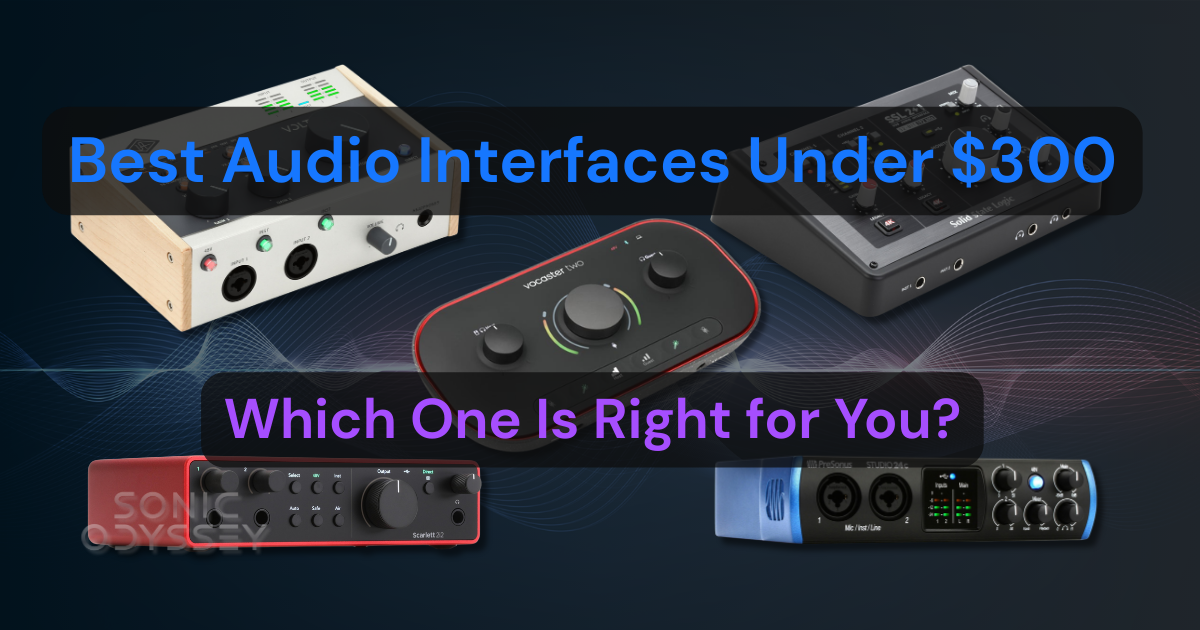
Get your instruments and microphones into your DAW with clean sound and low latency. These interfaces deliver real recording capabilities without wrecking your budget.
 Zachary Darrel Randall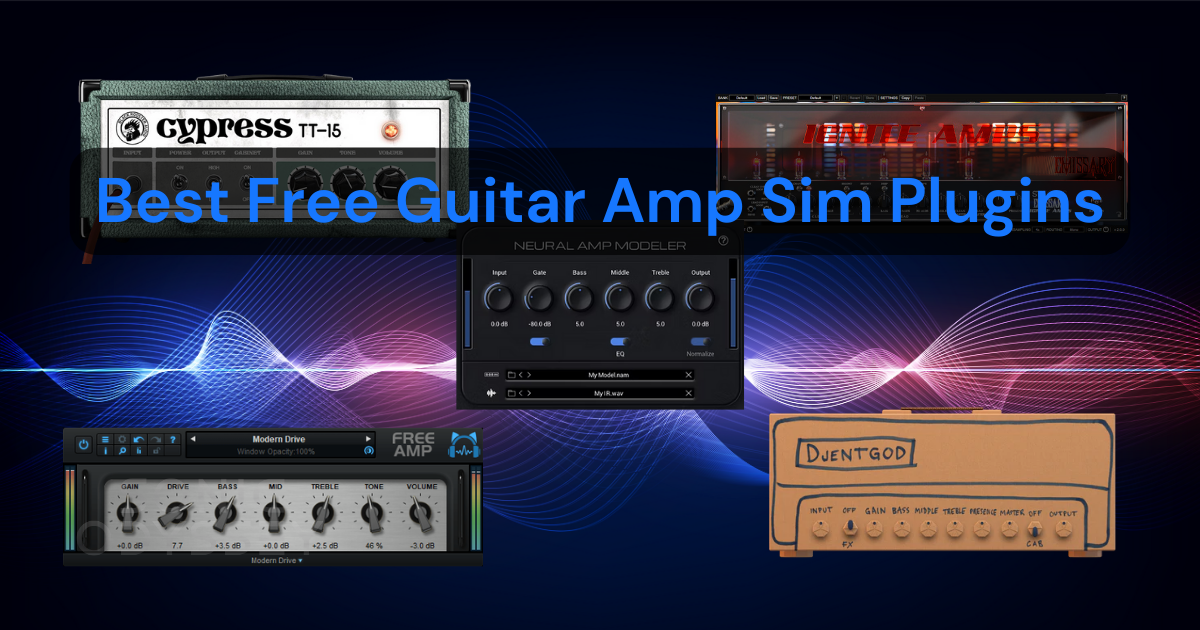
From Neural Amp Modeler and TONE3000 to classic amp simulations, discover how to record convincing guitar tones without spending a dime.
 Zachary Darrel Randall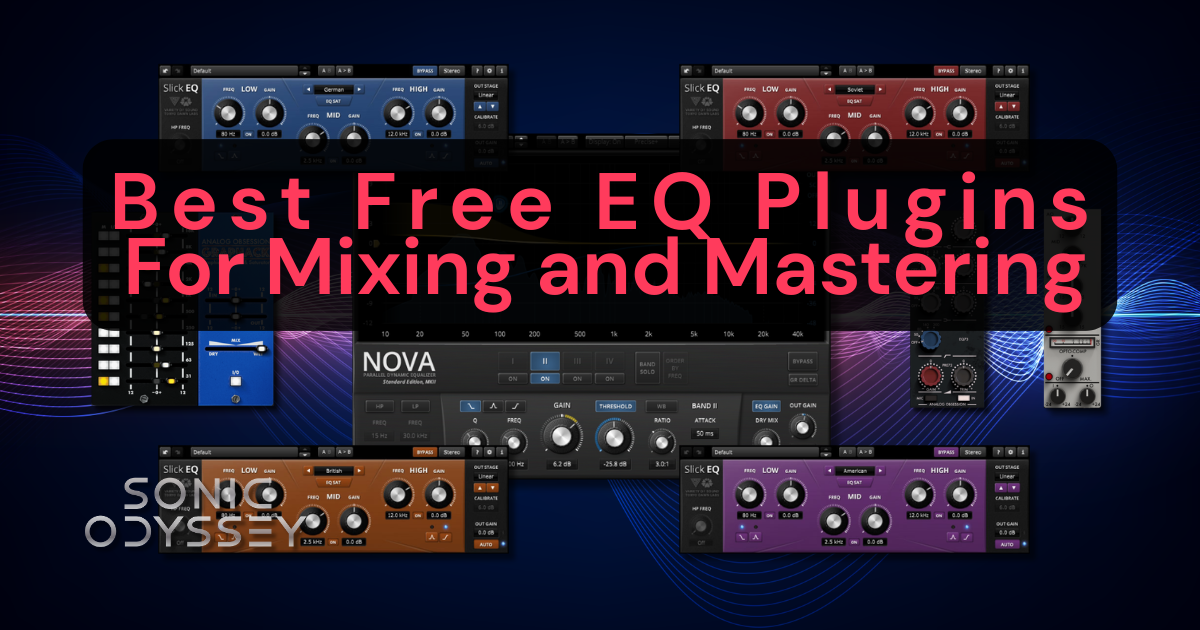
Clean up muddy tracks, tame harsh frequencies, and make room for every instrument in your mix with powerful EQ plugins that cost absolutely nothing.
🔥 Our Top Picks for Free DAW Software
Cakewalk Next — Best Overall for Beginners
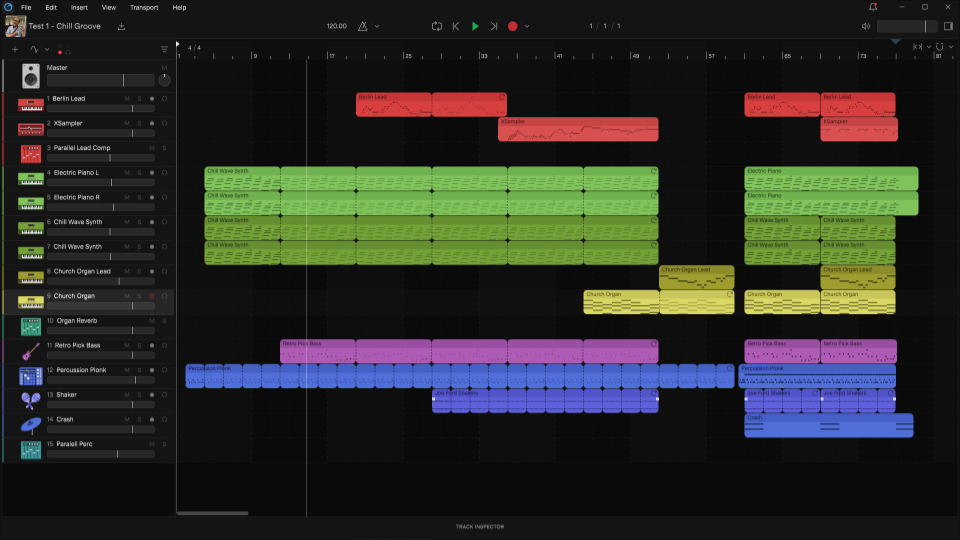
- OS support: Windows, macOS
- Plugin support: VST and AU (macOS)
- Best for: Beginners, songwriters, and musicians who want an approachable recording environment
- Why we like it: Clean interface, straightforward editing, and a much gentler introduction to DAW workflows
- Drawbacks: Less advanced than Cakewalk Sonar; free BandLab account required; optional premium features
If you've heard musicians talking about Cakewalk over the years, they're probably referring to the old SONAR-based recording environment. That software was enormously capable, but calling it beginner-friendly would have been a bit of a stretch.
Cakewalk Next takes a different approach.
Rather than attempting to put every recording, routing, mixing, and editing feature imaginable in front of you, Next emphasizes a streamlined creative workflow.
You can record audio, program MIDI, arrange songs, work with virtual instruments, and mix your tracks without immediately getting buried under dozens of windows and menus.
There's also a useful collection of built-in creative tools, including a virtual MIDI keyboard, drum programming, a sampler, and modern arrangement features.
And importantly, Cakewalk Next now offers a fully functional free tier. You don't need a paid BandLab Membership to use the core recording and production tools, although you'll need a free BandLab account.
Additional content and premium services are available through Membership, but those aren't prerequisites for making music.
One thing worth understanding is that Cakewalk Next and Cakewalk Sonar are separate products. Next isn't simply a prettier version of Sonar. It's a different DAW intended to make the creative process more approachable.
That distinction is exactly why I like it for beginners.
If you're starting with basic recordings, writing songs, experimenting with loops, or learning how MIDI and audio tracks work together, Next gives you plenty of room to grow without immediately overwhelming you.
Our Verdict: Cakewalk Next is one of the strongest starting points for new producers who want a capable desktop DAW without a punishing learning curve.
Free software can take you a long way, but at some point, you’ll hit the ceiling.
When that happens, don’t be the guy paying $199 for something that was $29 last week. We track plugin deals daily so you can upgrade your setup without getting ripped off.
Start free. Upgrade smart.
👉 Featured Plugin Deals
👉 Newest Plugin Deals
👉 Plugin Deals Ending Soon
💡 Build Your Studio the Smart Way
Get Sonic Odyssey’s Weekly Plugin Deals & Pro Tips Digest — new free tools, killer discounts, and production advice that actually helps you grow.
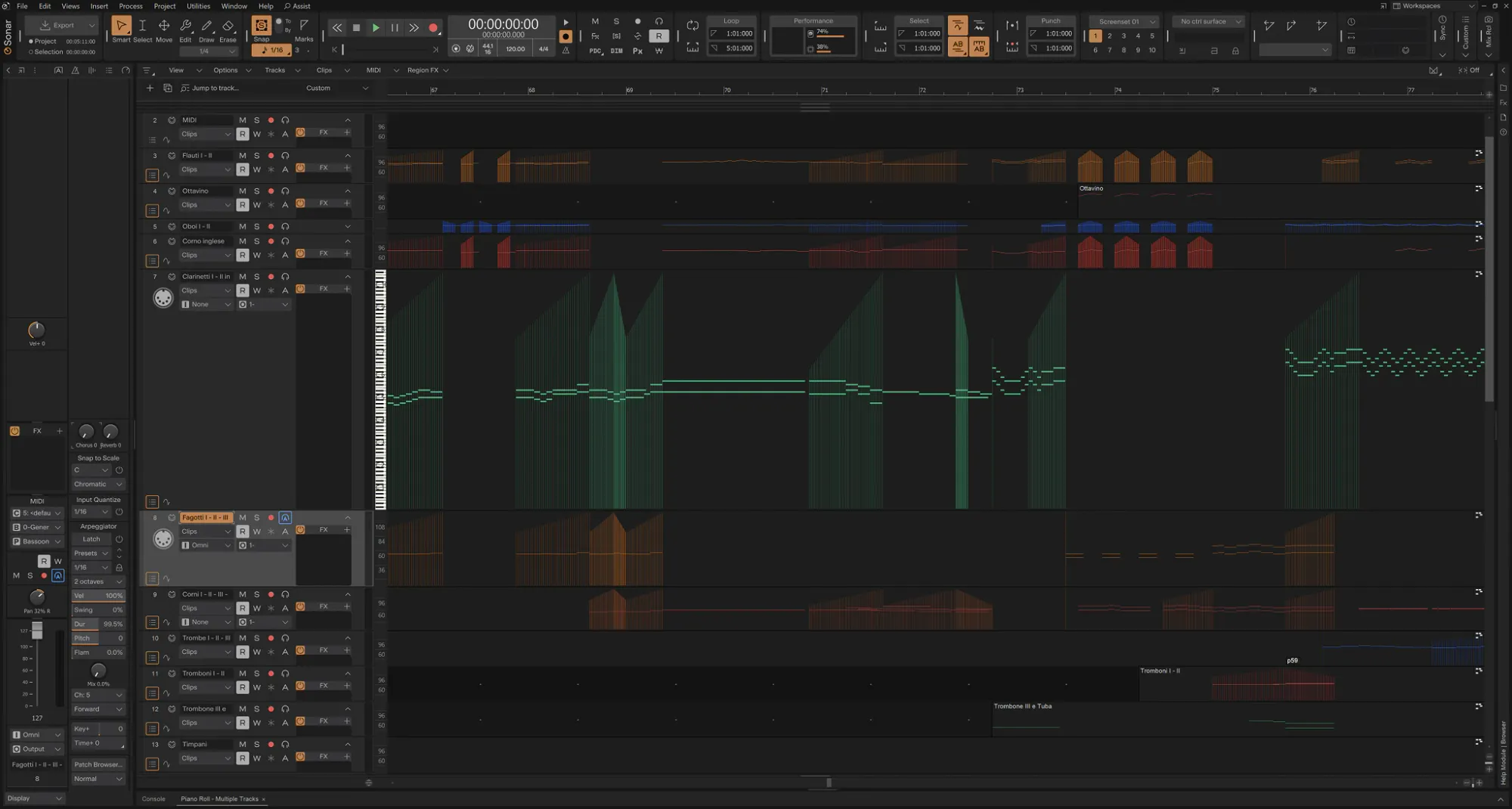
Cakewalk Sonar — Best Free DAW for Windows Recording
- OS support: Windows
- Plugin support: VST plugins
- Best for: Guitarists, singers, bands, and musicians who want a traditional multitrack recording environment
- Why we like it: Professional recording workflow, extensive editing and mixing capabilities, and an exceptionally capable free tier
- Drawbacks: Steeper learning curve than Cakewalk Next; Windows only; some advanced features require Membership
If Cakewalk Next is designed to get you creating music as quickly as possible, Cakewalk Sonar is designed to give you the tools of a full recording studio.
And that's a significant distinction.
Sonar builds on the legacy of Cakewalk by BandLab and the original SONAR workstation, bringing decades of recording and mixing development into a modernized environment.
You get traditional multitrack audio recording, MIDI sequencing, editing, comping, effects processing, and powerful mixing functionality.
For somebody recording live instruments, these capabilities are particularly valuable. You can track guitars and vocals, organize multiple takes, build detailed arrangements, and mix complex sessions without immediately running into the limitations associated with some entry-level software.
And yes, Sonar now has a genuinely useful free tier.
The core recording, editing, mixing, saving, and exporting features remain available without purchasing BandLab Membership. The free version also includes features such as an integrated sampler, spectrum analysis, and improved editing tools.
There are some limitations. Additional ProChannel modules, certain advanced processing options, extra content, and selected workflow features are reserved for paid members.
You'll also need a free BandLab account, and Sonar requires periodic license activation, even when using the free tier.
But the important thing is that you don't need to purchase a subscription just to record and finish a song.
Now, is Sonar the easiest DAW on this list?
Absolutely not.
It's a traditional, full-featured recording workstation, and learning to navigate its interface takes some effort. If you've never worked with audio tracks, buses, sends, and plugin chains, there's more to absorb than in Cakewalk Next.
But that complexity comes with flexibility.
Our Verdict: For Windows users who want to learn serious multitrack recording and mixing, Cakewalk Sonar is one of the most capable free options available. If your ambitions include recording bands, producing rock music, or building detailed mixes, it's well worth considering.
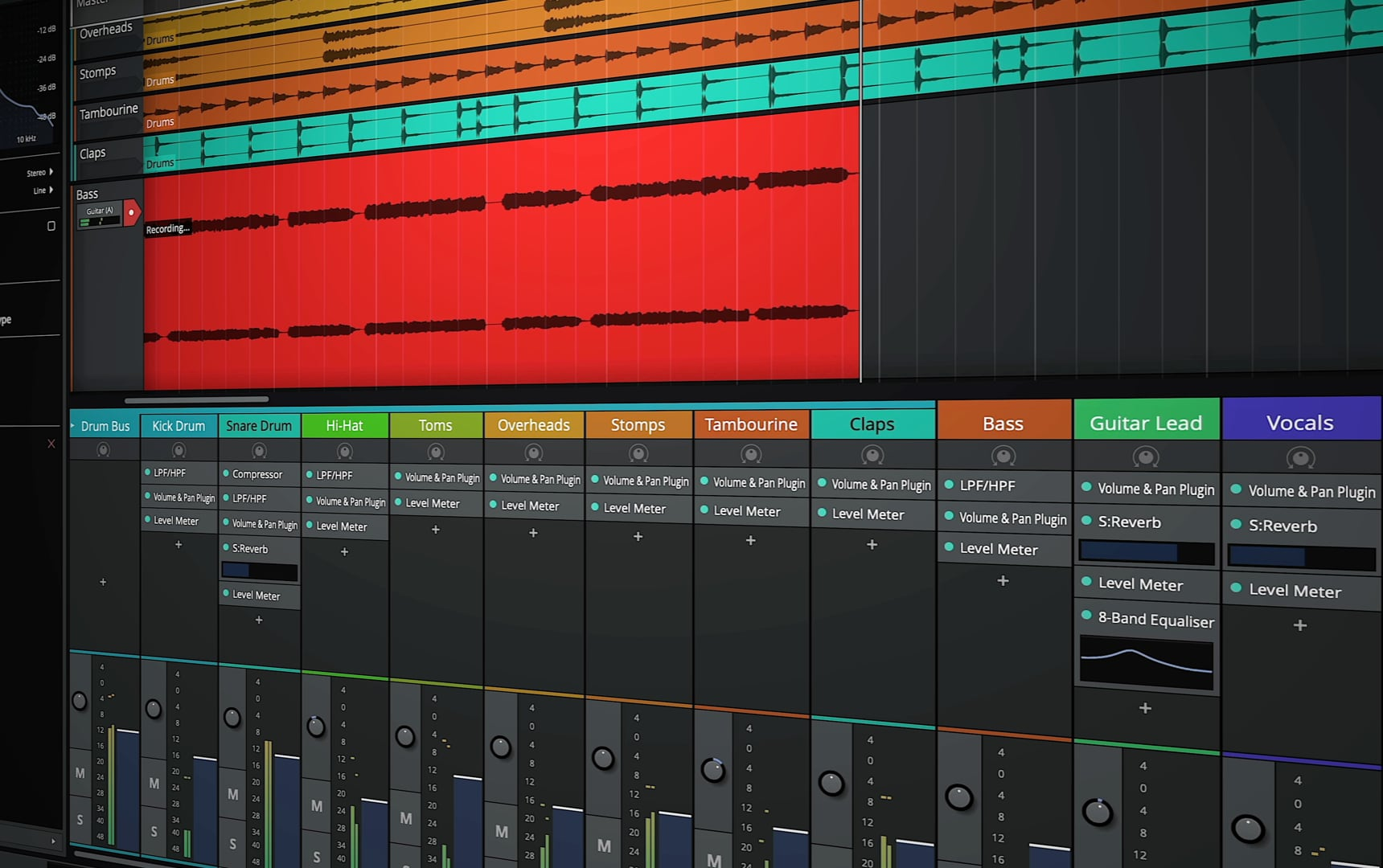
Tracktion Waveform Free – Best Cross-Platform DAW
- OS support: Windows, macOS, Linux, Raspberry Pi (yes, seriously)
- Plugin support: VST2, VST3, AU (macOS), LV2 (Linux)
- Best for: Electronic music producers and anyone who wants a non-traditional workflow
- Why we like it: Modern design, no artificial limitations, and extremely flexible once you learn it
- Drawbacks: The interface is polarizing and not very beginner friendly at first
Waveform Free is the DAW equivalent of an artsy underground synthwave tape that somehow sounds incredible but also makes you question your life choices the first time you use it.
It does not behave like most traditional DAWs, and that’s either going to click immediately or completely throw you off.
What makes it stand out is how flexible it is. There are no artificial limitations, the workflow is fast once you understand it, and it’s especially strong for MIDI, loops, and electronic production. If you like building tracks in a more modular, non-linear way, this thing can be a playground.
Also, and I cannot stress this enough, it runs on basically everything. Windows, macOS, Linux, and for reasons I still don’t fully understand, a Raspberry Pi 3. If you are determined enough, you can literally build a DAW rig out of a $50 board and this software. It also supports LV2 plugins on Linux, which is a nice bonus if you’re working in that ecosystem.
The downside is that it’s not the most intuitive starting point. If you’re coming from something like GarageBand or Pro Tools, the layout and workflow can feel a little alien at first.
But if you stick with it, Waveform Free is one of the most powerful truly free DAWs out there.
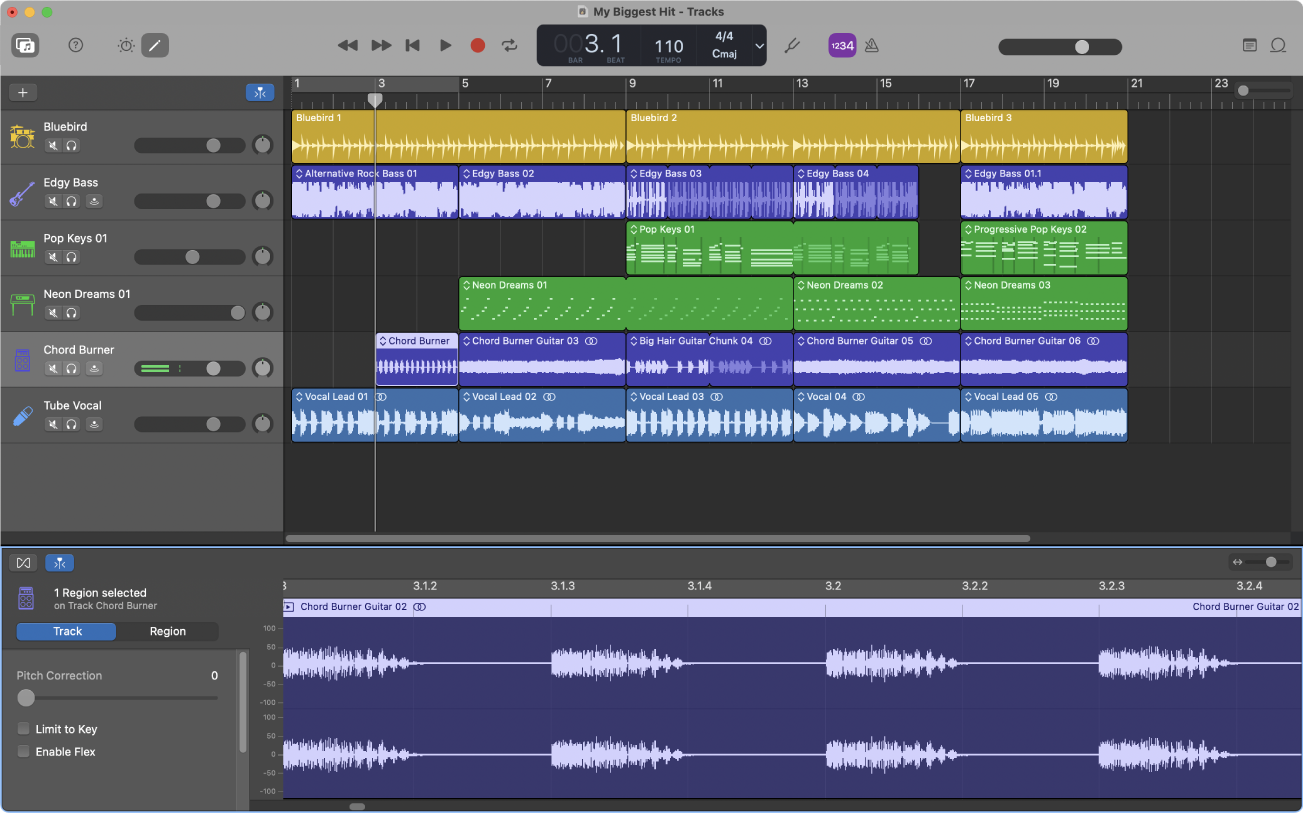
GarageBand – Best for Mac Beginners
- OS support: macOS, iOS
- Plugin support: AU (macOS)
- Best for: Mac users and complete beginners
- Why we like it: Extremely easy to use, great built-in instruments, and a fast path from idea to finished track
- Drawbacks: Limited flexibility as your skills grow, simplified workflow can feel restrictive later on
GarageBand is Apple’s smooth, polished gateway drug into music production.
It barely feels like a DAW at first, and that’s exactly why it works so well. You can open it up, drop in some loops, record a track, and have something that actually sounds like music within minutes.
The built-in instruments are solid, the loop library is huge, and everything is designed to get out of your way so you can focus on ideas instead of menus.
It also supports AU plugins on macOS, which gives you more room to grow than most people expect at first.
Eventually, you will hit its limits. The workflow is simplified by design, and once you start needing more control over routing, mixing, or advanced production techniques, you’ll start to feel boxed in.
But as a starting point, especially if you’re already on a Mac, GarageBand is about as easy and effective as it gets.
BandLab Studio — Best Free Browser-Based DAW
- OS support: Web browsers, iOS, Android
- Plugin support: Built-in instruments and effects rather than conventional desktop VST hosting
- Best for: Complete beginners, quick demos, collaboration, and making music without installing software
- Why we like it: Accessible, approachable, and genuinely useful for getting musical ideas recorded quickly
- Drawbacks: 16-track limit, 15-minute project limit, and greater dependence on internet connectivity
Sometimes the biggest obstacle to getting started with music production isn't the cost of software.
It's the software itself.
Installing a DAW, configuring an audio interface, organizing plugin folders, setting up virtual instruments, and trying to understand why absolutely nothing is making noise can be a frustrating introduction to recording.
BandLab Studio takes a very different approach.
Rather than installing a traditional desktop application, you can open a supported web browser, create a free account, and start working on a project.
BandLab includes audio recording, MIDI sequencing, virtual instruments, loops, effects, and basic mixing tools. You can also work on projects using its mobile applications.
That accessibility is its biggest strength.
For a new producer who wants to experiment with recording vocals, create beats, or collaborate on a song, BandLab removes quite a few of the usual technical obstacles.
Of course, there are limitations.
The free Studio currently supports up to 16 audio and MIDI tracks per project, with a maximum project length of 15 minutes. You're also working within BandLab's environment rather than running a traditional collection of desktop VST plugins.
Those limitations may not matter when you're recording your first song. They become more significant as your productions grow.
And although browser-based recording is convenient, musicians who depend on low-latency monitoring and complex audio routing may eventually prefer a dedicated desktop DAW.
Our Verdict: BandLab Studio is one of the easiest ways to start making music without buying or installing a traditional recording application. It's particularly appealing for experimentation, collaboration, and recording your first demos.
Start Creating with BandLab Studio
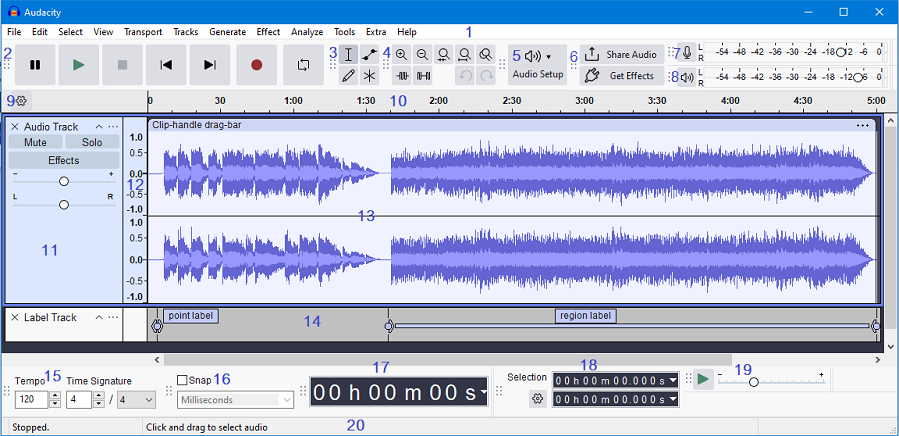
Audacity – Best Free Audio Editor
- OS support: Windows, macOS, Linux
- Plugin support: LADSPA, VST2 (limited), Nyquist
- Best for: Podcasting, audio editing, voiceovers, and simple recordings
- Why we like it: Lightweight, free, open source, and runs on basically anything
- Drawbacks: Not a full DAW. No MIDI, limited mixing, and very basic workflow
Audacity is the scrappy little audio editor that refuses to die.
It’s been around forever, and while people still lump it into “free DAWs,” it’s really not that. This is an audio editor first, not a full production environment.
That said, it’s incredibly useful.
If you need to record a quick vocal, clean up audio, remove noise, or edit a podcast, Audacity is fast, simple, and gets out of your way. It runs on basically anything, installs in seconds, and doesn’t try to be more than it is.
Where it falls apart is music production. There’s no MIDI, no real mixing workflow, and plugin handling is pretty limited compared to modern DAWs.
But that’s fine.
If you treat Audacity like what it actually is, a lightweight audio editor, it’s one of the best free tools you can have in your setup.
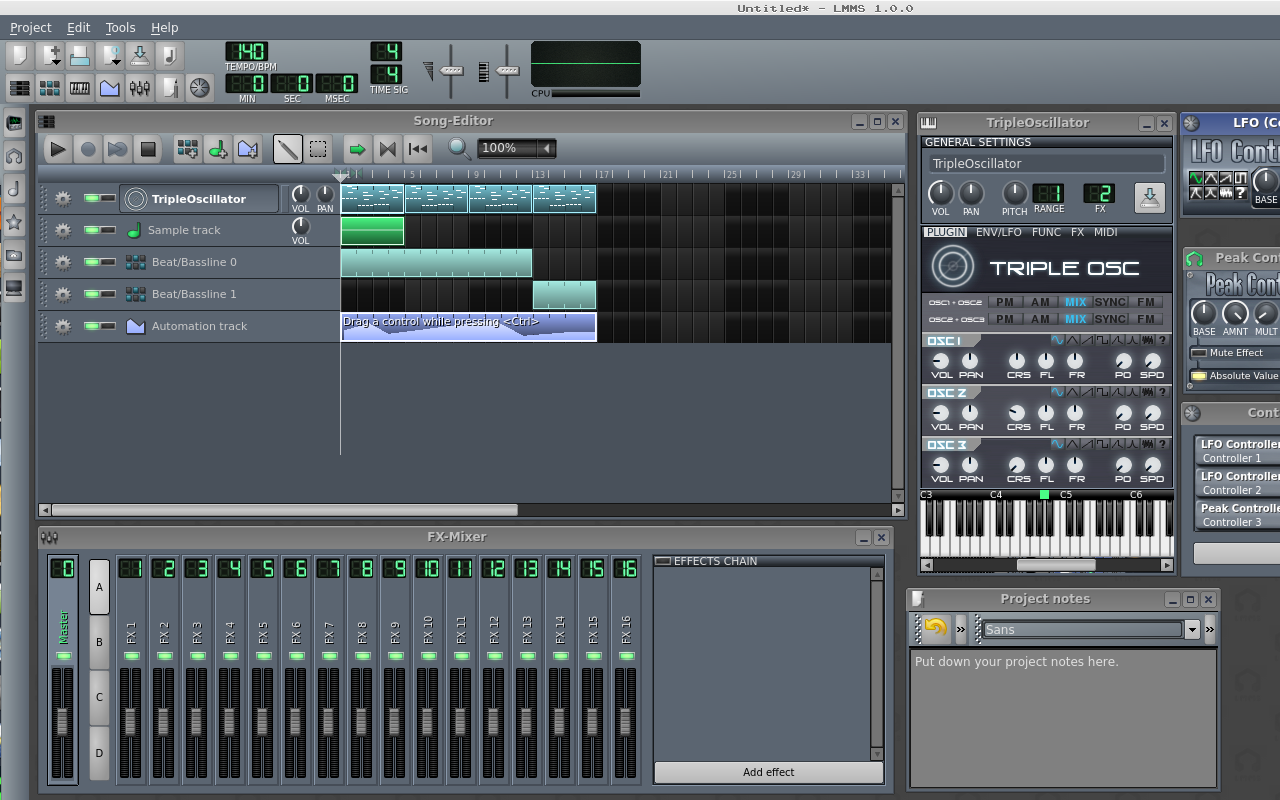
LMMS (Linux MultiMedia Studio) – Best for Beat-Making
- OS support: Windows, macOS, Linux
- Plugin support: VST2 (Windows via Vestige), LADSPA, native instruments
- Best for: EDM and beat-making enthusiasts who want an FL Studio style workflow
- Why we like it: Built for electronic music, strong step sequencer, and completely free with no limitations
- Drawbacks: Dated UI, can be unstable, and not ideal for recording live audio
LMMS wants to be your free alternative to FL Studio, and in a lot of ways, it actually pulls it off.
The step sequencer, pattern-based workflow, and built-in synths make it a really solid choice for electronic music. If your goal is to make beats, loops, or full tracks without touching a traditional timeline-based DAW, this can get you there.
It’s not the prettiest thing in the world, and it can feel a little clunky at times, but the creative potential is absolutely there if you’re willing to spend some time with it.
And yes, despite the name, Linux MultiMedia Studio, LMMS is fully cross-platform. It runs on Windows, macOS, and Linux, so you’re not locked into anything.
Gianni the intern spent an entire afternoon trying to dual-boot Arch Linux with a vaporwave inspired KDE skin before I told him he could have just downloaded the Windows version. He’s still upset.
The biggest limitation is recording. LMMS is built for programming and sequencing, not tracking live audio, so if you’re planning to record vocals or instruments regularly, you’ll probably want something else.
If you’re building your setup, stop paying full price. We track the best deals from Plugin Boutique and update them constantly so you can grab top-tier tools before the prices jump back up.
Featured Plugin Deals: The best plugins worth buying—at prices that actually make sense.
Newest Plugin Deals: Fresh discounts just added. This is where the newest steals show up.
Deals Ending Soon: Prices about to go back up. If you’re even thinking about it, check these first.
Plugin Deals Hub: Browse all current deal pages across categories like EQ, reverb, delay, and more.
Get the deals now:
👉 Featured Plugin Deals
👉 Newest Plugin Deals
👉 Plugin Deals Ending Soon
👉 Browse All Plugin Deals
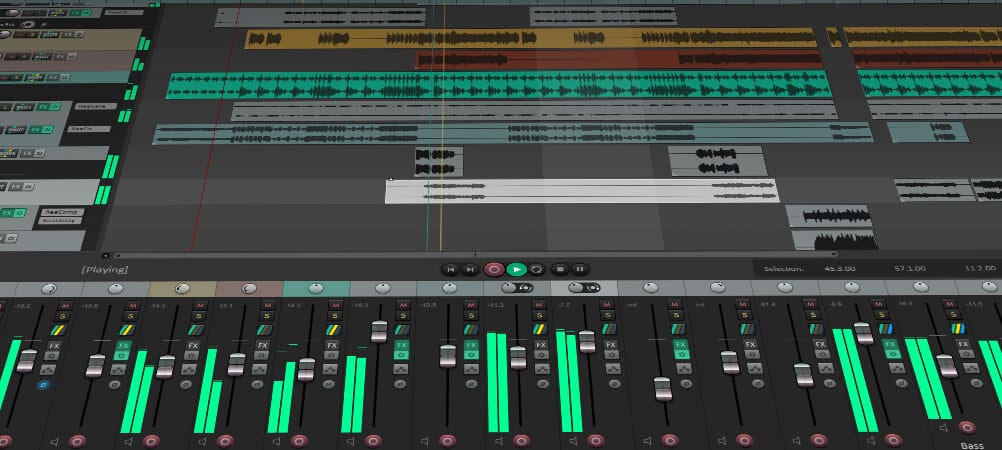
Bonus Pick: Reaper (Technically Not Free… But Close)
- OS support: Windows, macOS, Linux
- Plugin support: VST2, VST3, AU (macOS), JSFX
- Best for: Anyone who wants a full professional DAW without paying upfront
- Why we like it: Extremely powerful, lightweight, endlessly customizable, and the trial never locks you out
- Drawbacks: Steeper learning curve and a very “barebones” default experience
Reaper isn’t technically free.
But it kind of is.
It has a fully functional, unlimited trial with no restrictions. No track limits, no features locked behind a paywall, and no “export disabled” nonsense. You can use it indefinitely while you’re learning, which makes it one of the most beginner-friendly “not free” DAWs out there.
That said, if you stick with it, you really should buy a license.
It’s only $60 for a discounted license, and that gets you a full professional DAW with years of updates. For what you’re getting, it’s honestly one of the best deals in music production. Supporting the folks at Cockos is a pretty easy call if you end up using it regularly.
What you get for that price is kind of ridiculous.
Reaper can handle recording, mixing, mastering, MIDI, routing, scripting, and basically anything else you throw at it. It’s also insanely lightweight and customizable once you get comfortable with it.
The downside is that it doesn’t hold your hand. Out of the box, it’s a bit bare and can feel overwhelming compared to something like GarageBand.
But if you’re willing to learn it, Reaper is one of the best long-term DAWs you can start with, even if you begin on the free trial.
Just Pick One and Start Recording
There’s no one-size-fits-all answer here, but the biggest mistake you can make is overthinking it.
Pick one DAW from this list, install it, and start making something. You’ll learn more in a weekend of actually using a DAW than you will from reading ten more “best of” articles.
If you’re just getting started, GarageBand or Cakewalk Next are easy wins. If you’re leaning toward electronic music, Waveform Free or LMMS are great places to experiment. And if you want something you can stick with long-term, Reaper is always there when you’re ready.
The important thing is to start.
And when you do start running into limitations, whether it’s plugins, sounds, or workflow, that’s when it makes sense to look at upgrades, not before.
Upgrade Your Setup When You’re Ready
You don't need a professional studio to make your first songs. But once you've learned your DAW and started recording, the right upgrades can make producing faster, more enjoyable, and a whole lot more rewarding.
 Zachary Darrel Randall
Stop drawing every note with your mouse. Find a MIDI controller that makes playing instruments, programming drums, and turning musical ideas into actual tracks feel natural.
 Zachary Darrel Randall
Hear what your recordings really sound like. The right studio headphones can help you make better mixing decisions without investing in an expensive monitoring system.
 Zachary Darrel Randall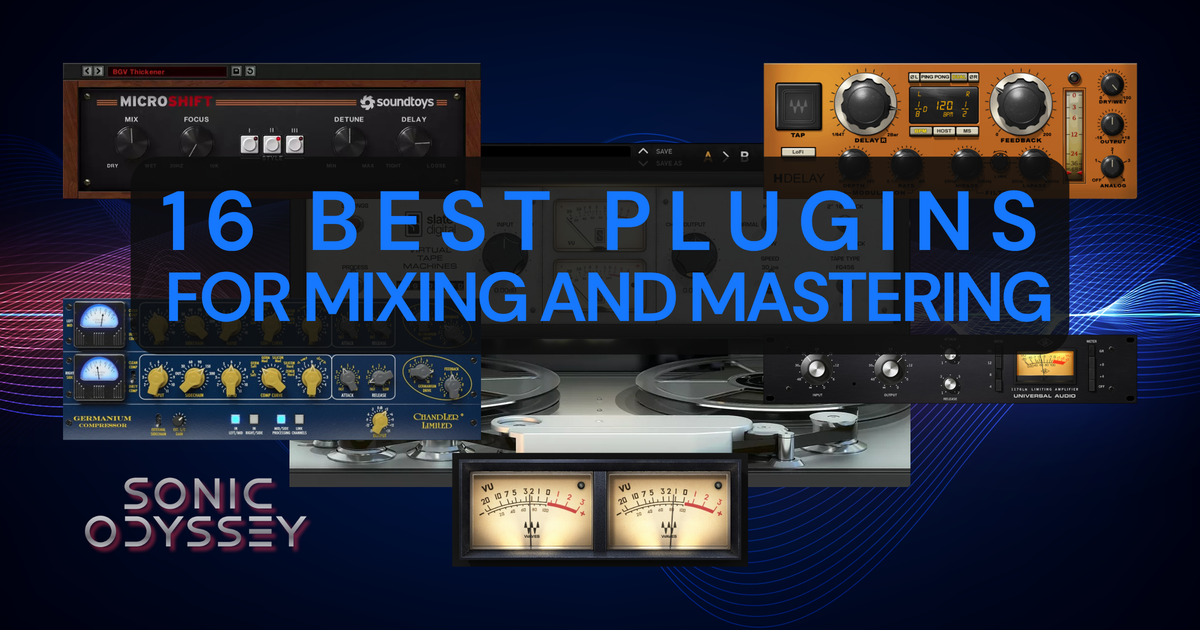
Ready to take your mixes further? Step inside my actual production workflow and discover the plugins, techniques, and decisions behind the sound.


