


Intro
If you’d told guitarists ten years ago that some of the best amp tones on the planet would be free, most of us would’ve laughed, adjusted our pedalboards for the 47th time that day, and gone back to arguing about EL34 vs. 6L6 tubes on forums. Yet here we are.
The free amp sims available today are not “good for free.” They’re good, period. Mix-ready, low‑latency, shockingly realistic, and in some cases-like Neural Amp Modeler or Ignite’s Emissary-better than commercial plugins we paid real money for back when we didn’t know any better.
Whether you’re:
- practicing silently at 2AM because your neighbors already hate you,
- recording DI guitars for a full mix,
- reamping tracks through AI-modeled rigs,
- or building a portable writing setup that fits in a backpack…
the right free amp sim will absolutely get the job done. No compromises, no weird watermarks, no “demo bursts of white noise every 45 seconds.” Just actual tone.
And just to be clear, we believe the best guitar tone still comes from a real tube amp pushing air through a mic'd-up cabinet. That physical interaction between speaker, room, microphone, and player is hard to truly replace. But plenty of great albums have been made with nothing more than a guitar plugged straight into a DI, and modern amp sims have reached a point where that approach is completely valid. Great tone is about the performance first, the tools second.
Since this is the internet, a quick note: these plugins are free at the time of writing. Pricing can change, especially when developers update or expand features, so always check the current version.
If you are new to Sonic Odyssey, this guide is part of our ongoing push to create practical, musician-first resources that actually help you make better music, no matter your budget or skill level. The mission here is to give musicians the tools and knowledge to sound good without needing expensive gear or a fully treated studio. And yes, you will see some Amazon recommendations for interfaces, monitors, and headphones, because your tone is only as good as what you plug into.
Ready? Let’s get into the best free amp sims you can download right now.
Affiliate Disclosure:
Some of the links in this article are affiliate links. If you purchase through these links, Sonic Odyssey may earn a small commission at no additional cost to you. This helps support the site and allows us to continue creating in-depth guides for music producers.
How We Chose These Free Amp Sims
Before we get into specific plugins, here is the criteria we used to evaluate the best free amp sims available today. There are a lot of options out there, and not all of them are worth installing, let alone using in a real mix. This list focuses on tools that are reliable, musical, and actually usable in a modern production environment.
Sound quality and feel: The best amp sims are not just accurate, they respond correctly under your hands. That means realistic pick attack, dynamics, and amp-like behavior when you roll your guitar’s volume back.
CPU efficiency and stability: Some free plugins sound great but run like they were coded in a haunted basement. Everything here performs consistently on a typical home studio computer.
Tonal versatility: A good amp sim does more than one trick. Clean, crunch, and high-gain tones all matter, even if a plugin leans toward one category.
Developer support and community trust: These plugins are maintained, updated, and used by real musicians. Longevity matters, especially if you plan to rely on these tools long-term.
No fake “free” traps: This list avoids plugins that are technically free but require account signups, constant upsells, or intentionally crippled features.
Works well with third-party IRs: Most high quality amp sim tones come from combining the amp stage with a solid impulse response. We prioritized plugins that pair well with third-party IR loaders, letting you shape your tone without limitation.
This is a curated list, not an exhaustive one. The goal is to highlight the best free amp sims that deliver real, mix-ready guitar tones without wasting your time.
Make the Rest of Your Setup Count
Free amp sims go further when your monitoring and interface are doing their job.
 Zachary Darrel Randall
Hear your mixes clearly, even when monitors are not an option.
 Zachary Darrel Randall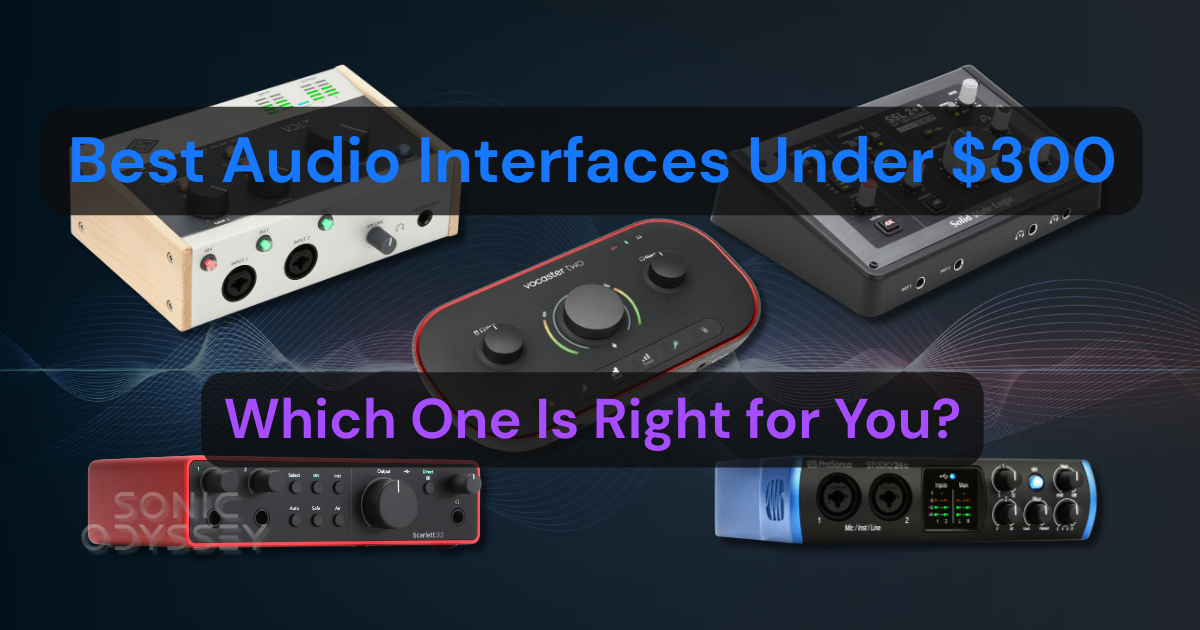
Build a reliable recording setup without overspending.
 Zachary Darrel Randall
Make better mix decisions without breaking the bank.
Gear You Need to Get the Most from Free Amp Sims
You can get great tones out of free amp sims, but the results depend heavily on the gear you run into them. A clean signal path and proper monitoring make a bigger difference than most people think. Here is what you actually need to get the most out of these plugins.
Audio interface: Look for low-latency performance and stable drivers. Even the best amp sim will feel sluggish if your interface cannot run tight buffer sizes.
A proper DI box: Technically optional, but highly recommended. A quality DI ensures a clean, consistent signal into your interface. Many interface instrument inputs are usable, but they vary wildly in impedance, noise floor, and headroom. A dedicated DI gives you better transient response, less noise, and a more accurate representation of your guitar before it ever reaches the amp sim.
Studio monitors or headphones: You need accurate monitoring to judge tone properly. Cheap speakers or consumer headphones will make everything sound harsh or muddy. If you are using headphones, aim for neutral, closed-back models that can handle the full frequency range of distorted guitars. Headphones also offer more bang for the buck. For example, you can get Beyerdynamic DT 770s for about $200, which would not even buy you an empty Focal box.
Optional tools:
- MIDI foot controllers for live-style patch switching
- Expression pedals for wah, volume, or parameter control
- Load boxes if you want to blend real amps with amp sims
Free plugins can take you a long way, but at some point, you’ll hit the ceiling.
When that happens, don’t be the guy paying $199 for something that was $29 last week. We track plugin deals daily so you can upgrade your setup without getting ripped off.
Start free. Upgrade smart.
👉 Featured Plugin Deals
👉 Newest Plugin Deals
👉 Plugin Deals Ending Soon
Neural Amp Modeler (NAM)
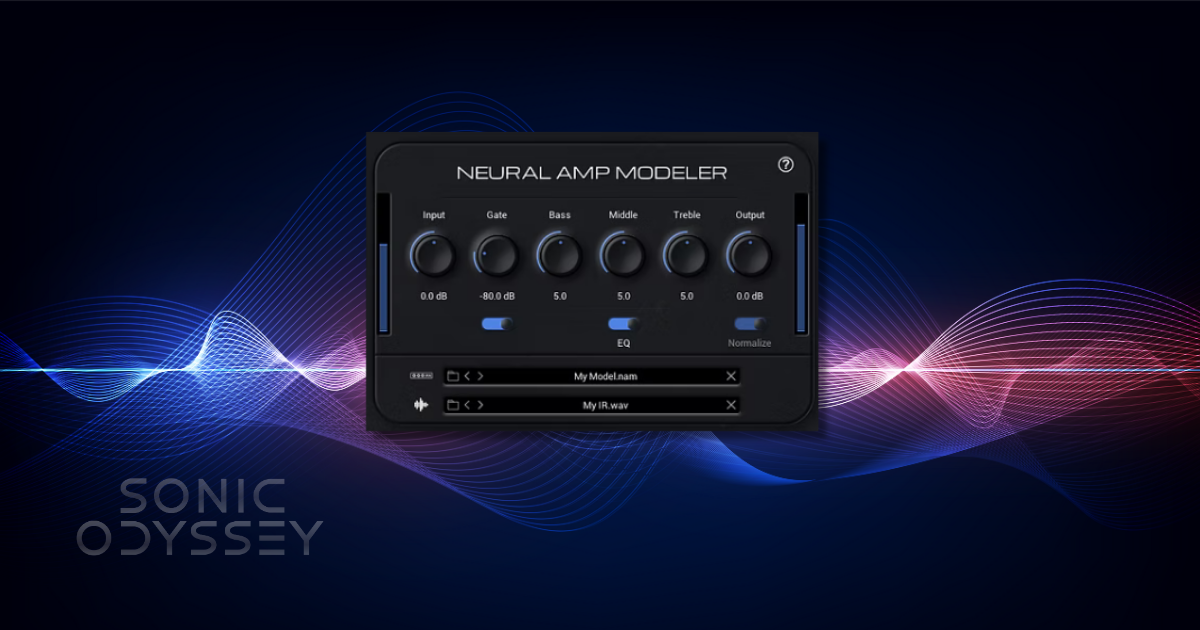
If there is one free amp sim that fundamentally changed the conversation, it is Neural Amp Modeler. Often shortened to NAM, this is not a traditional modeled amp plugin. It is an open source, community-driven capture system that lets users model real amps, pedals, and full signal chains using neural networks.
In practice, NAM works much like a Kemper or Quad Cortex capture, but without the hardware price tag. You load a model that was trained on a real amp or rig, pair it with an impulse response, and you are playing through something that behaves remarkably like the original gear. Pick attack, note bloom, and cleanup with the guitar volume all feel right in a way that many older amp sims never quite nailed.
What makes NAM especially powerful is the community. There are thousands of free captures available, ranging from pristine clean amps to brutal high-gain monsters, vintage pedals, boutique preamps, and complete studio chains. Some of these captures rival commercial plugins, and in a few cases outperform them.
NAM shines in modern recording workflows. It is excellent for high-gain guitars, detailed reamping work, and studio-quality tones where realism matters more than flashy interfaces. Because it focuses on the amp stage itself, the quality of your impulse responses plays a major role in the final sound. Pair NAM with a good cab IR and it can easily sit in a dense mix.
A few practical tips will help you get the most out of it. First, pay attention to input level. NAM responds best when you are not slamming the input. Second, experiment with different IRs before assuming a model is not for you. Small changes in cab choice can completely transform the tone. Finally, take advantage of the community. Many of the best captures come from dedicated users who know the source amps extremely well.
Pros:
- Extremely realistic amp behavior and feel
- Huge library of free community captures
- Open source and actively developed
- Excellent for reamping and mix-ready tones
Cons:
- Requires external IRs for best results
- Less beginner-friendly than all-in-one suites
- No built-in effects or signal chain tools
If you want the closest thing to real amp behavior without spending money, Neural Amp Modeler is the clear benchmark.
Free plugins can take you a long way, but at some point, you’ll hit the ceiling.
When that happens, don’t be the guy paying $199 for something that was $29 last week. We track plugin deals daily so you can upgrade your setup without getting ripped off.
Start free. Upgrade smart.
👉 Featured Plugin Deals
👉 Newest Plugin Deals
👉 Plugin Deals Ending Soon
Ignite Amps (Emissary / NRR-1 / Anvil etc.)
Before Neural Amp Modeler exploded onto the scene, Ignite Amps was already quietly setting the standard for what free guitar amp sims could sound like. Even now, their plugins remain some of the most respected free options for heavy music, and for good reason.
Ignite Amps focuses on no-nonsense, amp-first design. These are not flashy all-in-one suites with massive preset browsers. They are purpose-built amp models that prioritize tight response, clarity under gain, and realistic behavior when pushed.
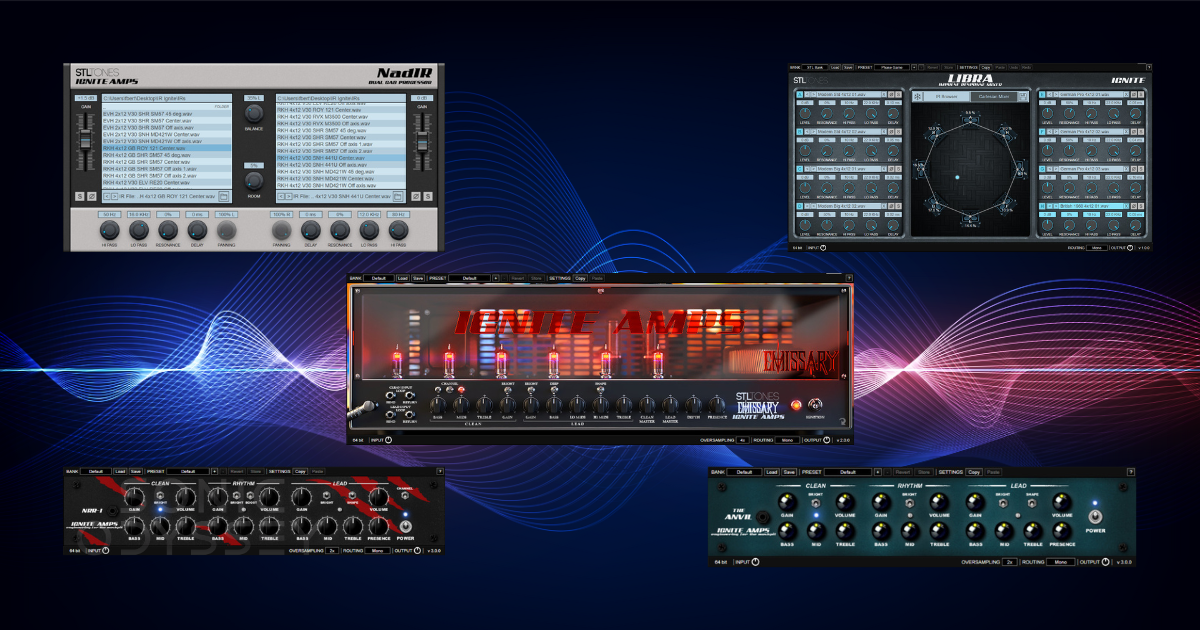
The standout is Emissary 2.0, a modern high-gain amp that has become something of a legend in the free plugin world. It delivers tight low end, articulate mids, and enough aggression for modern metal, prog, and hard rock without turning into fizzy chaos. Palm mutes stay defined, fast riffs stay intelligible, and lead tones cut without excessive EQ.
NRR-1 and Anvil cover slightly different ground, offering additional flavors of high-gain and crunch that pair well with different guitars and tunings. Together, they give you a flexible free amp lineup that can handle everything from classic metal to modern drop-tuned brutality.
One of Ignite’s biggest advantages is its ecosystem. Plugins like NadIR and Libra provide excellent free impulse response loading, making it easy to build a complete, professional signal chain without spending a dime. A common setup is a simple overdrive or boost in front, followed by the amp, then an IR loader. It is a straightforward workflow that works extremely well.
Ignite Amps plugins are especially popular with metal and prog players because they sit well in a mix with minimal effort. You do not need extreme EQ moves or complex routing to get usable results. The tones are focused, controlled, and predictable, which is exactly what you want when layering multiple guitar tracks.
Pros:
- Tight, articulate high-gain tones
- Excellent mix translation
- Free matching tools like NadIR and Libra
- Stable and efficient
Cons:
- Interfaces are utilitarian, not flashy
- Focused mostly on heavier styles
- No built-in effects or preset ecosystems
If you play metal, prog, or modern rock and want a reliable free amp sim that just works, Ignite Amps remains one of the safest and strongest choices available.
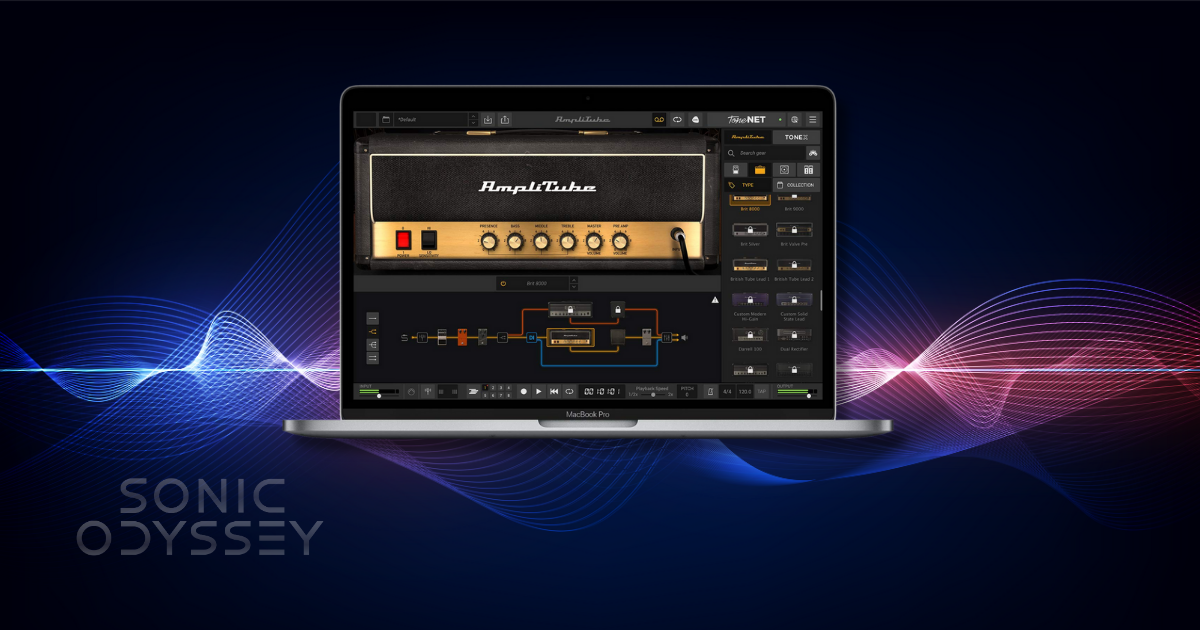
Amplitube 5 CS
Amplitube 5 CS is the free entry point into one of the longest-running commercial amp sim platforms on the market. Unlike standalone amp plugins, Amplitube is a full guitar and bass rig environment, and the Custom Shop version gives you a limited but usable slice of that ecosystem at no cost.
Out of the box, Amplitube 5 CS includes a small selection of amps, cabinets, microphones, and effects. You also get access to a large preset library, which makes it especially appealing for beginners who want to plug in, scroll, and play without thinking too hard about signal chains.
Where Amplitube shines is accessibility. The interface is intuitive, the workflow is familiar, and it works well across a wide range of styles, from clean and edge-of-breakup tones to classic rock and more polished modern sounds. For learning how amps, cabs, and mic placement interact, it is a solid educational tool.
That said, there are trade-offs. The free content is intentionally limited, and you are constantly reminded that there is a paid ecosystem sitting behind the curtain. Compared to NAM or Ignite, the amp feel is a bit more polished and less raw, which some players will appreciate and others will find less inspiring.
Amplitube 5 CS is best viewed as a general-purpose tool. It is excellent for practice, songwriting, demo work, and getting comfortable with amp sim workflows. It may not be the first choice for ultra-realistic reamping or modern metal tones, but it covers a lot of ground reliably.
Pros:
- Beginner-friendly interface and workflow
- Large preset library
- Broad tonal coverage
- Stable and well-supported
Cons:
- Limited free content
- Upsell-heavy environment
- Less raw amp feel compared to NAM or Ignite
If you are just getting started with amp sims or want a familiar, all-in-one environment, Amplitube 5 CS remains a useful free option.
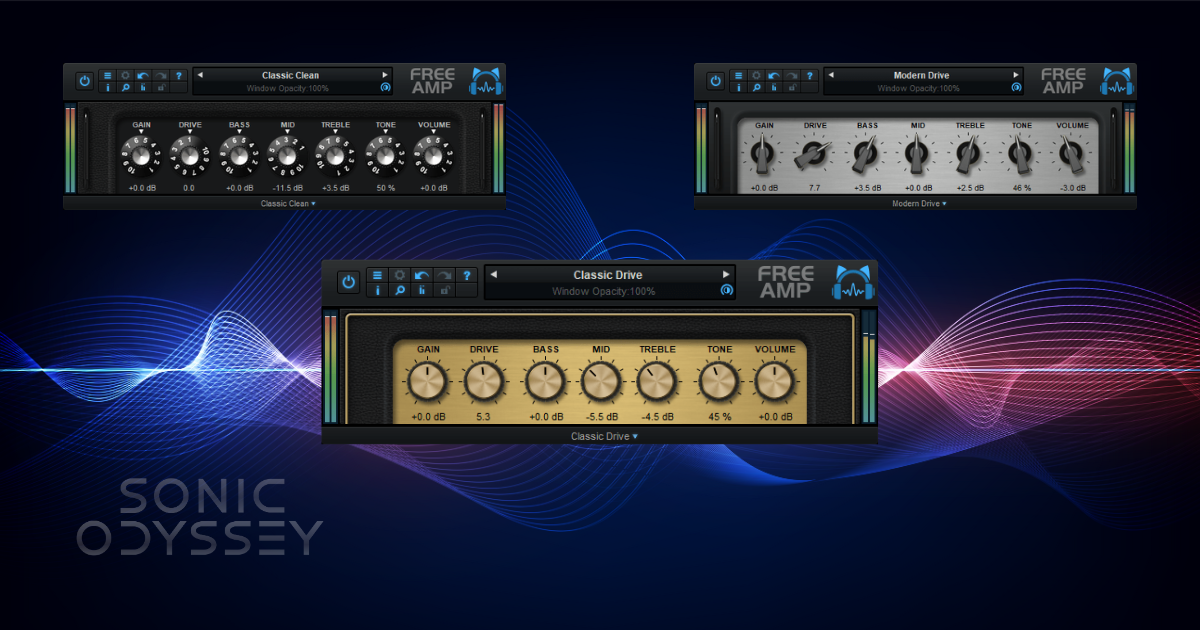
Blue Cat Free Amp
Blue Cat Free Amp is one of those plugins that does not get a lot of hype anymore, but it has earned its place through sheer reliability. It is a simple, lightweight amp sim with three core voicings covering clean, crunch, and high-gain territory, and it does exactly what it claims without drama.
On a personal note, I have been using Blue Cat plugins since the early 2000s, back when I was running a very unofficial copy of SONAR on a Windows machine that had absolutely no business recording guitars. Even then, Blue Cat’s stuff stood out as well-coded, stable, and thoughtfully designed. That reputation has held up for decades, which is not something you can say about a lot of audio software from that era.¹
Free Amp is not trying to compete with Neural Amp Modeler or Ignite in terms of realism or depth. Instead, it focuses on being fast, predictable, and easy to dial in. CPU usage is low, latency is minimal, and you can get a usable tone in seconds without digging through menus or presets.
Tonally, it works best for clean and edge-of-breakup sounds, classic rock, and basic crunch tones. The high-gain mode is usable, but it does not have the complexity or tightness of more modern amp sims. Where it really shines is as a utility amp that you can always fall back on when you just need something that works.
Blue Cat Free Amp is especially useful for quick demos, songwriting, and situations where stability matters more than chasing the last five percent of realism. It is also a great option for older or lower-powered systems that struggle with heavier plugins.
Pros:
- Very low CPU usage
- Extremely stable
- Simple and fast to dial in
- Clean, usable core tones
Cons:
- Limited tonal depth compared to newer amp sims
- High-gain tones are serviceable, not exceptional
- No built-in effects or advanced routing
It may not be flashy, but Blue Cat Free Amp earns its spot as an always-installed utility amp that just gets the job done.
¹ At the time, this involved tracking guitars by running an original Behringer V-Amp straight into the line-in jack of a Sound Blaster card using a barely functioning AUX cable. It was not ideal, but it worked.
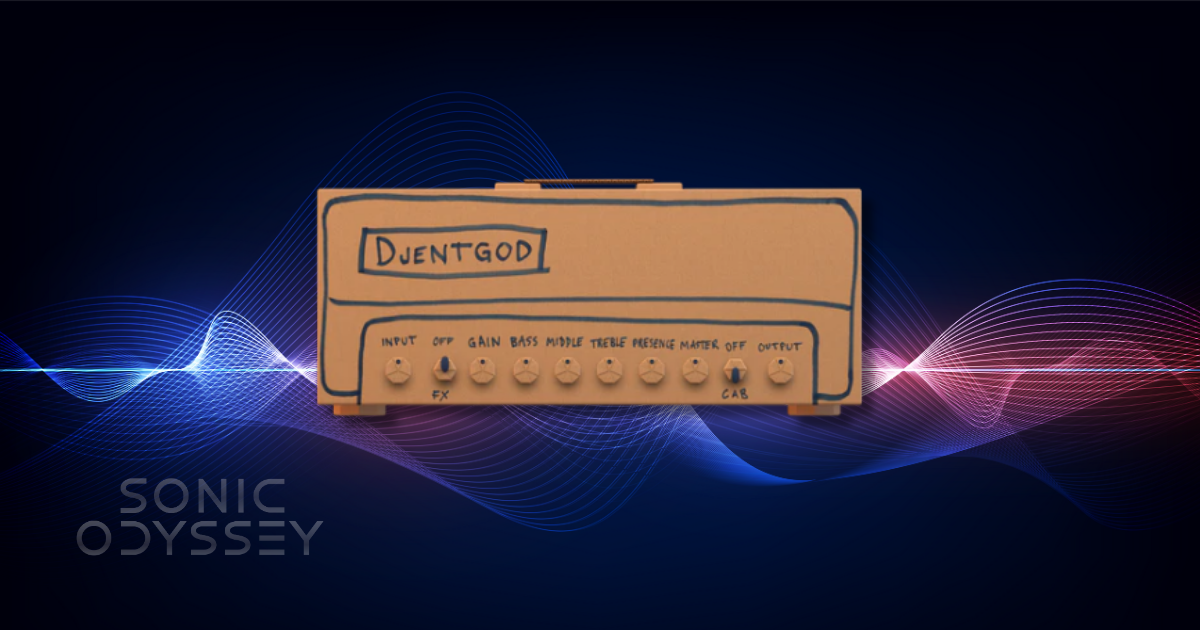
Amped Stevie T Free (ML Sound Lab)
Amped Stevie T Free is the noisiest entry on this list, both in tone and personality. Built by ML Sound Lab, this plugin is based on the same core technology used in their commercial Amped series, but wrapped in an intentionally over-the-top presentation inspired by Stevie T’s internet persona.
Under the hood, though, this is a legitimately solid modern amp sim. The tone profile leans firmly toward tight, aggressive high-gain sounds, with a fast pick response and a focused low end that works well for modern metal, djent, and heavy rhythm playing. It does exactly what it is supposed to do when you hit palm-muted riffs hard.
The cab section is one of the highlights. ML Sound Lab’s cabinet modeling is consistently good, and even in the free version you get usable options that do not require immediate replacement with third-party IRs. That makes Amped Stevie T Free easier to drop into a session than some more barebones free amps.
Where this plugin may divide players is presentation. The branding is unapologetically meme-adjacent, and that will either be entertaining or annoying depending on your tolerance for that kind of thing. Fortunately, once you are playing, the interface stays out of the way and the tone speaks for itself.
Amped Stevie T Free works best when treated as a specialized tool rather than a do-everything solution. If you want clean tones or vintage crunch, look elsewhere. If you want modern, percussive high-gain rhythm sounds with minimal setup, it delivers.
Pros:
- Tight, modern high-gain tones
- Fast, responsive feel
- Strong built-in cab section
- Easy to dial in
Cons:
- Narrow tonal focus
- Branding may not appeal to everyone
- Limited flexibility outside modern metal styles
If your playing lives in drop tunings and tight rhythm work, Amped Stevie T Free is a fun and surprisingly capable free option.
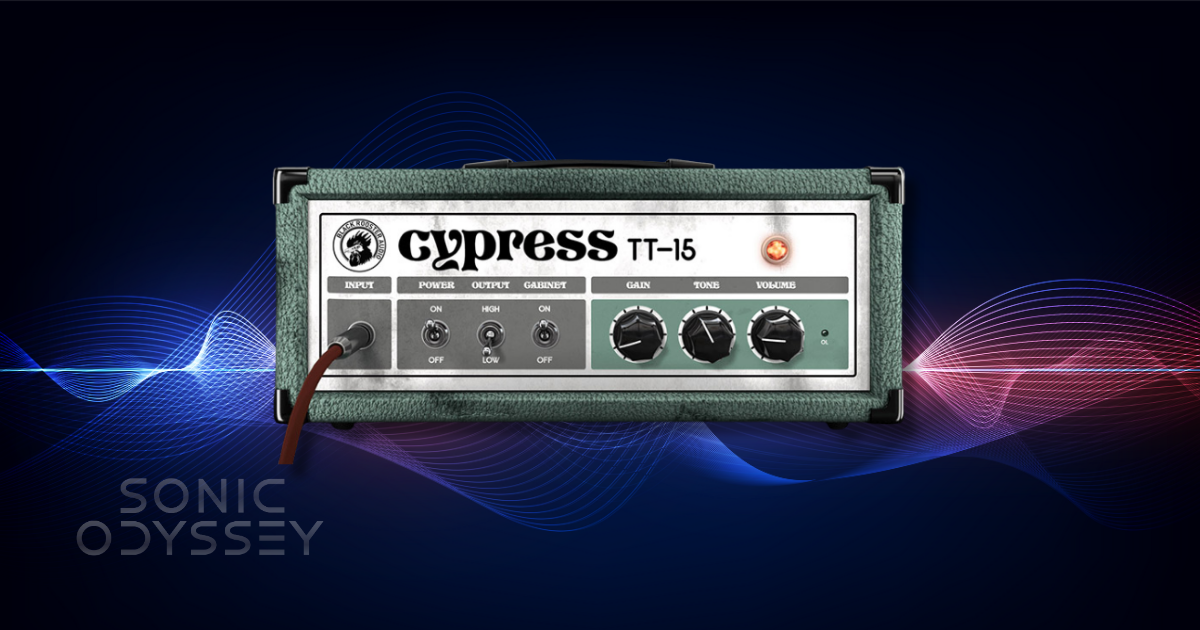
Cypress TT-15
Cypress TT-15 is a free amp sim that takes clear inspiration from compact, lunchbox-style British amps, particularly the Orange-flavored side of the tonal spectrum. It is mid-forward, crunchy, and unapologetically raw in a way that immediately feels different from the tighter, more modern amps earlier in this list.
Where the TT-15 shines is in low- to mid-gain territory. Crunch tones have weight and attitude, with a slightly fuzzy edge that works well for classic rock, stoner rock, doom, and gritty alternative styles. It reacts nicely to picking dynamics and cleans up better than you might expect when rolling back the guitar’s volume.
This is not a high-gain metal amp, and it does not pretend to be one. If you push it too far, things get loose fast. That is not a flaw so much as a design choice. Paired with the right cabinet IR, the TT-15 delivers character and personality rather than surgical precision.
One of the best ways to use Cypress TT-15 is as a pedal platform. Throw a fuzz or overdrive in front, keep the gain moderate, and let the amp do the heavy lifting in the mids. Darker IRs with strong low-mid content tend to complement it well, especially for thicker riff-based parts.
Cypress TT-15 earns its place here by covering a tonal lane that many free amp sims ignore. It is not trying to replace NAM or Ignite. It is there for when you want something dirty, organic, and a little unruly.
Pros:
- Mid-forward, characterful crunch tones
- Responds well to picking dynamics
- Great for stoner, doom, and classic rock styles
- Simple and easy to dial in
Cons:
- Limited tonal range
- Not suitable for modern high-gain metal
- Heavily dependent on cab choice
If you are looking for raw, attitude-heavy tones rather than polished perfection, Cypress TT-15 is an excellent free option.
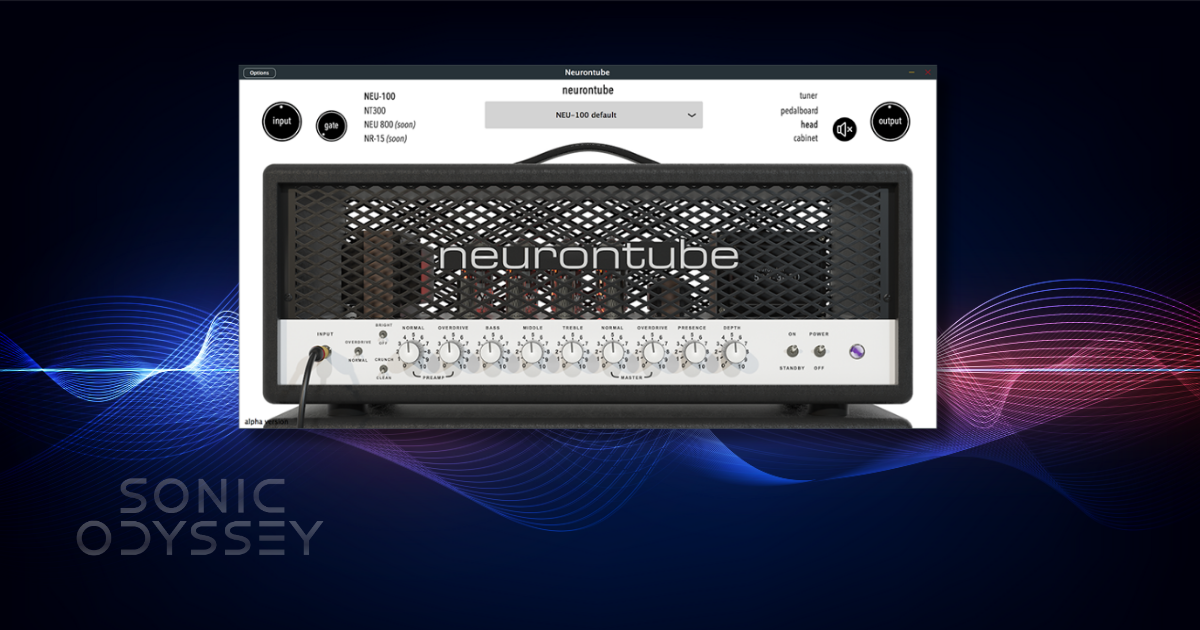
neurontube: debut
neurontube: debut is one of the most interesting free amp sims to emerge in the last couple of years because it sits at the intersection of modern neural modeling and traditional amp plugin workflows. It does not rely on massive preset libraries or flashy branding. Instead, it focuses on feel, response, and musical behavior.
The debut amp is voiced to cover a wide range from edge-of-breakup crunch through modern high-gain tones. It responds naturally to pick attack and guitar volume changes, and it avoids the overly compressed, plasticky feel that still plagues many digital amps. Notes bloom in a convincing way, and chords retain definition even under heavier gain settings.
What sets neurontube apart is how balanced it feels. Where NAM excels at realism through captures and Ignite excels at tight, aggressive focus, neurontube: debut lands somewhere in between. It feels like a purpose-built digital amp that understands what players actually want under their fingers, rather than a strict attempt to clone a specific piece of hardware.
In practical use, neurontube works well for both rhythm and lead parts, especially in modern rock, prog, and alternative contexts. It takes pedals well, pairs nicely with third-party IRs, and does not require excessive EQ to sit in a mix. That makes it a strong option for players who want a single free amp that can cover a lot of ground without much setup.
This is also a good example of where free amp sims are heading. Smaller developers are using modern modeling techniques to create focused, high-quality tools without bloated interfaces or aggressive monetization. neurontube: debut feels like a preview of that future.
Pros:
- Responsive, natural playing feel
- Broad usable gain range
- Mix-friendly tones with minimal effort
- Modern design without unnecessary complexity
Cons:
- Limited tonal variety compared to capture-based systems
- Requires external IRs for best results
- Less name recognition than larger brands
If you want a modern, forward-looking free amp sim that feels good to play and easy to mix, neurontube: debut is one of the strongest sleeper picks available.
Honorable Mentions & Extra Freebies
Not every solid free amp sim made the main list, either because it is more limited in scope, available only during certain promotions, or better suited as a supporting tool rather than a primary amp. These are still worth knowing about.
Other Ignite Amps tools: Beyond their main amp sims, Ignite offers excellent free utilities like NadIR and Libra for impulse response loading, along with bass amps and preamps that are useful well beyond guitar-only workflows.
Audio Assault freebies: Audio Assault regularly releases limited free or “lite” versions of their amp sims. Availability changes, but when they are free, they are often very usable modern rock and metal tools worth grabbing.
Softube Amp Room (free core rig): Softube has offered a small free version of Amp Room that includes a single amp and cab. It is extremely high quality, but limited. If it is still available when you are reading this, it is worth checking out.
As always with free plugins, availability can change. If something disappears or becomes paid, that does not mean it was misleading at the time. It just means the landscape keeps moving.
Tips for Better Amp Sim Tones (Even with Free Plugins)
Free amp sims are fully capable of professional results, but only if you treat them like real amps. A few practical habits will dramatically improve your tones.
Do not overload the input: Most amp sims expect a healthy but controlled signal. Slamming the input will make everything sound fizzy and compressed. Aim for consistent picking levels and let the amp do the work. That said, don't take the advice of turning down the gain all the way on your interface. Turn up the gain but make sure to leave ample amounts of headroom.
Use a noise gate when needed: High-gain tones benefit from a properly set gate. Keep it transparent and avoid choking sustain.
Cab choice matters more than amp choice: Impulse responses shape far more of the final tone than most people realize. Swapping IRs often does more than swapping amps.
Do not crank the gain: Less gain almost always records better. Use double or quad tracking to achieve size instead of turning everything up.
Dial tones in context: A guitar tone that sounds massive on its own may disappear in a mix. High-pass and low-pass filters are your friends.
For deeper dives, see our guides on using EQ and compression effectively in guitar-heavy mixes.
Frequently Asked Questions
Can free amp sims really compete with paid ones?
Yes. In many cases, they already do. The biggest differences are usually workflow, bundled effects, and support, not sound quality.
What DAWs do these plugins work in?
All of the amp sims listed here work in standard plugin formats supported by modern DAWs, including Pro Tools, Logic, Reaper, Studio One, Cubase, and others.
Do I need a powerful computer to run amp sims?
Not necessarily. Most of these plugins run well on modest systems, especially if you keep buffer sizes reasonable and avoid unnecessary oversampling.
Can I use these for live playing?
Yes, with the right interface and latency settings. Many players use free amp sims in live rigs successfully.
Conclusion
You do not need to spend money to get great guitar tones. The free amp sims available today are powerful, musical, and fully capable of producing mix-ready results if you take the time to learn them.
The key is experimentation. Try a few options from this list, see which ones respond best to your playing style, and commit to learning them rather than endlessly swapping plugins. The best tones come from familiarity, not chasing the next download.
This list will continue to evolve as new free amp sims appear and older ones disappear or change. Bookmark this page, check back occasionally, and focus on what actually matters: playing better, recording smarter, and making music you are proud of.
If you want more practical guides like this, consider joining the Sonic Odyssey mailing list. No hype, no nonsense, just tools and insight for musicians who care about sound.
🎛 Keep Building Your Sound
Once your guitar tones are sorted, these guides help you expand your workflow without spending money you do not need to.
 Zachary Darrel Randall
Start recording and producing without a financial commitment.
 Zachary Darrel Randall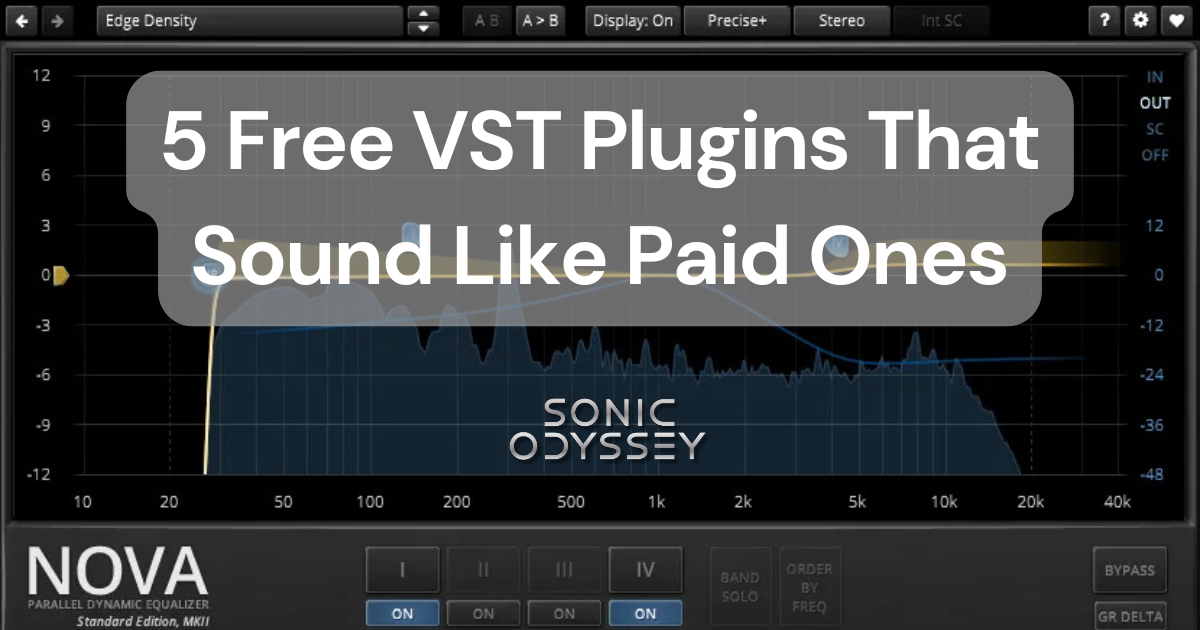
Build a powerful plugin collection on a zero-dollar budget.
 Zachary Darrel Randall
Push beyond traditional guitar tones and explore new textures.
Affiliate Disclosure
Some of the links on Sonic Odyssey are affiliate links. This means that if you click a link and make a purchase, we may earn a small commission at no additional cost to you.
We only recommend products, software, and tools that we genuinely use, trust, or believe provide real value to musicians. Affiliate commissions help support the time, research, and testing that goes into creating in-depth guides like this one and allow Sonic Odyssey to remain independent.
Affiliate relationships never influence our opinions or recommendations.


